
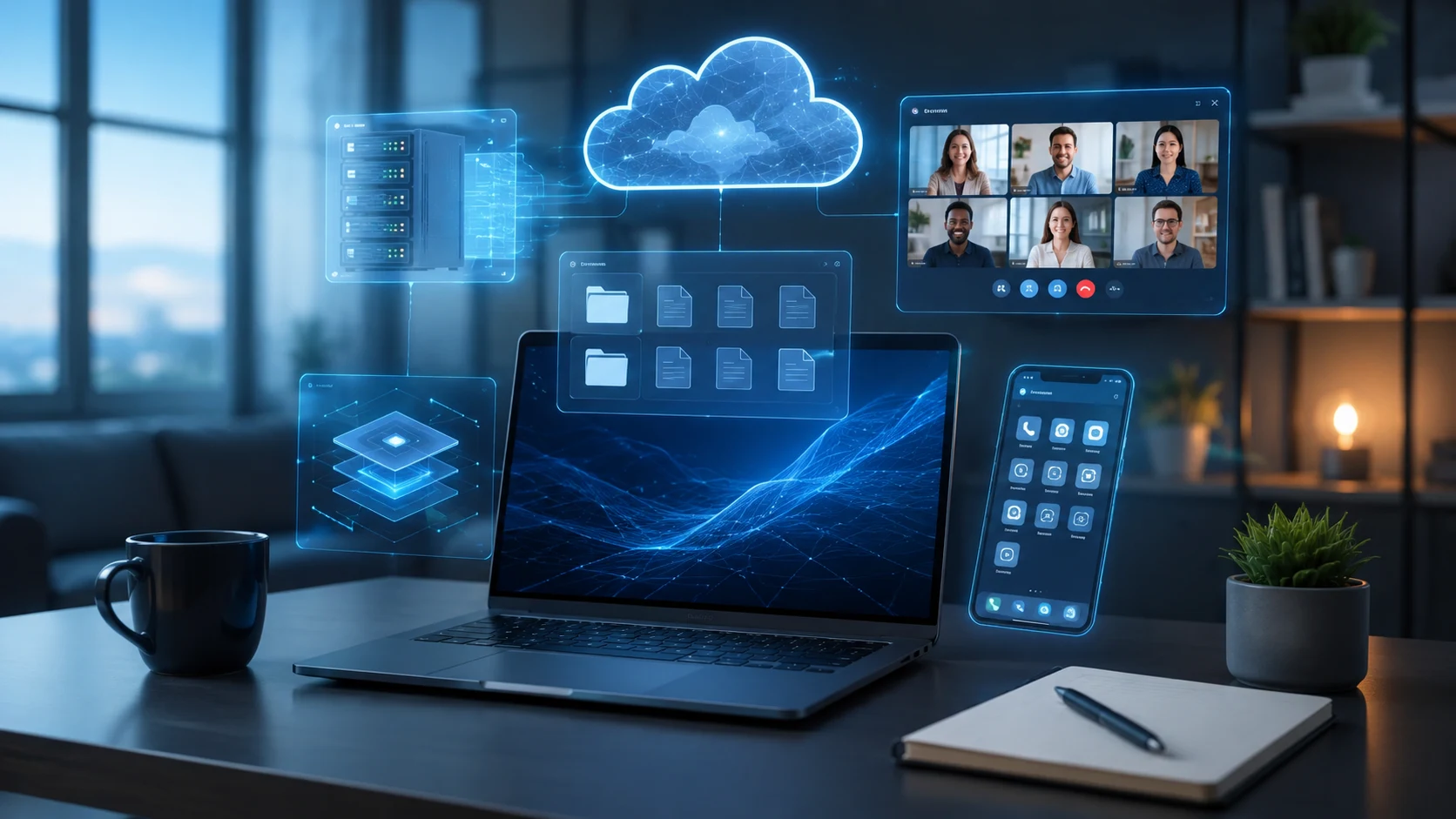
What Does Virtual Mean in Tech? Simple Examples
The word virtual in technology describes something that behaves like a real physical resource even though it is created, managed, or represented through software. A virtual computer, virtual network, virtual meeting, or virtual storage system may perform many of the same functions as its physical equivalent without existing in exactly the same form. Technology uses virtualization to make hardware and software resources more flexible, efficient, and easier to manage. Instead of requiring a separate physical machine for every task, software can create multiple virtual environments on shared infrastructure. This idea is used across cloud computing, networking, operating systems, servers, storage, and communication platforms.
The simplest way to understand what virtual means in tech is to think of it as a software-created version of something that would traditionally require physical resources. A virtual machine behaves like a computer, even though it may run inside another physical server. A virtual meeting room allows people to communicate without gathering in one physical location. Virtual storage can combine or represent storage resources without requiring users to understand where the underlying data physically resides. The virtual resource still performs a useful function, but software controls how it is created and accessed. This abstraction makes modern technology systems much more flexible than traditional hardware-only environments.
Virtual technology does not mean that something is imaginary or unreal. A virtual resource can perform real computing work, store real data, support real users, and run real applications. The word simply indicates that the resource is represented or separated from its underlying physical implementation. For example, a virtual server can host a website just as a dedicated physical server can. The difference is that the virtual server shares hardware with other virtual machines through a virtualization layer. Users may not even know whether an application is running on physical or virtual infrastructure because the experience can appear nearly identical.
Virtualization became especially important as organizations tried to use computing resources more efficiently. Traditional data centers often dedicated one physical server to one major application, leaving much of the server’s CPU and memory unused. Virtual machines made it possible to run several independent systems on the same hardware. Similar principles later expanded into virtual networks, virtual desktops, virtual storage, cloud services, and containers. Businesses gained the ability to create, resize, move, and remove computing resources through software rather than constantly installing new hardware. This flexibility remains one of the main benefits of virtual technology today.
Understanding the meaning of virtual can make many technical terms easier to interpret. Concepts such as virtual machine, virtual server, virtual memory, virtual private network, virtual desktop, and virtual storage all use the same underlying idea of abstraction. The implementation differs from one technology to another, but each creates a useful logical resource that is separated in some way from the physical layer. This article explains how virtual technology works, where it is used, why organizations rely on it, and how it differs from physical resources. Simple examples will make each concept easier to understand.
What Does Virtual Mean in Technology?
In technology, virtual means a software-based representation or abstraction of a physical resource, environment, or activity. The virtual version is designed to behave in a way that users or applications can interact with as though it were a separate resource. A virtual machine, for example, appears to have its own processor, memory, disk, and operating system even though those resources come from a shared physical computer. Software creates the boundaries and manages access to the real hardware underneath. The user works with the virtual resource without necessarily needing to understand the physical infrastructure supporting it. This separation between logical resources and physical resources is called abstraction.
Virtualization can occur at many different levels of a technology system. Hardware can be virtualized into virtual machines, storage can be organized into virtual volumes, and networks can be represented through software-defined connections. Operating systems also use virtualization techniques to manage memory and processes. Cloud platforms combine several forms of virtualization to provide computing resources on demand. Even communication environments can be described as virtual when people interact through digital platforms rather than physical spaces. The word therefore has a broad meaning, but it consistently involves creating a functional digital representation that is separated from its underlying physical implementation.
A virtual resource is still dependent on physical infrastructure somewhere. A virtual server ultimately uses a physical processor, physical memory, physical storage, and network hardware. Virtual cloud storage still stores information on real storage devices located in data centers. A virtual desktop still requires servers or endpoint hardware to execute applications and display the interface. Virtualization does not eliminate physical technology; it changes how users interact with and allocate that technology. The physical resources become pooled, abstracted, or hidden behind software management layers. This allows systems to be managed according to logical requirements rather than fixed hardware boundaries.
The virtual model provides flexibility because software can create and change resources more quickly than physical hardware can be installed. An administrator can create a new virtual server in minutes without purchasing another physical machine. A network engineer can create a virtual network segment without running new cables through a building. A cloud customer can increase storage capacity through a management interface rather than installing another disk manually. These capabilities make virtual resources useful for rapidly changing environments. They also support automation because software can create and modify virtual infrastructure according to rules, templates, or API requests.
The easiest way to remember the definition is that virtual technology acts like a distinct resource without necessarily being a distinct physical object. A virtual computer acts like its own computer, a virtual network acts like its own network, and virtual memory acts like additional memory available to software. Each technology implements this concept differently, but the logical-versus-physical distinction remains important. Once this idea is understood, many complicated technical terms become easier to interpret. Virtual simply describes a resource whose identity or behavior is created primarily through software abstraction rather than by being physically separate.
How Does Virtual Technology Work?
Virtual technology works by placing a software layer between users or applications and the physical resources they need. This layer controls how underlying hardware is divided, accessed, or represented. In server virtualization, a hypervisor manages physical CPU, memory, storage, and networking resources and distributes them among virtual machines. Each VM receives virtual hardware that the guest operating system can use. The operating system may behave as though it owns a complete computer even though several other VMs are using the same host. The virtualization layer handles the difficult task of safely sharing those physical resources.
Abstraction is central to the process because it hides unnecessary physical details. A virtual storage system may present one large logical disk even though the data is spread across several physical drives. A virtual network may connect workloads without requiring users to know exactly which physical switches carry every packet. Cloud services take this abstraction even further by allowing customers to request computing resources through dashboards or APIs. The customer focuses on capacity and configuration rather than hardware installation. Abstraction makes systems easier to manage because users work with logical resources that match their needs instead of dealing directly with every physical component.
Isolation is another important part of many virtual technologies. Virtual machines are designed so each guest operating system operates independently from the others. One VM can run Linux while another runs Windows on the same physical server. A crash inside one guest normally does not automatically crash every other virtual machine. Virtual networks can also isolate groups of systems even when they share physical network equipment. This logical separation improves organization, security, and workload management. However, isolation depends on correct configuration and secure virtualization software, so administrators still need to protect the underlying platform carefully.
Resource allocation determines how much physical capacity each virtual environment can use. An administrator might assign four virtual CPUs and 16 GB of memory to one VM while giving a smaller VM two virtual CPUs and 4 GB. The hypervisor schedules these resources across the physical server. In many environments, administrators can adjust allocations when workload requirements change. This is much easier than physically replacing hardware each time an application needs more capacity. Resource pooling also makes it possible to improve overall utilization because unused capacity from one workload can potentially support other virtual resources.
Automation increases the value of virtualization even further. Organizations can use scripts, templates, orchestration tools, and cloud platforms to create virtual resources automatically. A development team might request a new test server and receive a complete virtual machine without manual hardware setup. A cloud platform can automatically create additional virtual servers when traffic increases and remove them when demand falls. Networks and storage can also be provisioned through software. This combination of virtualization and automation is a major foundation of modern cloud computing, DevOps, and software-defined infrastructure.
What Is a Virtual Machine?
A virtual machine, often shortened to VM, is a software-created computer that runs inside a physical host system. It has virtual versions of the components found in a traditional computer, including processors, memory, storage, and network interfaces. The VM can run its own operating system and applications independently from other virtual machines on the same physical hardware. From the guest operating system’s perspective, the virtual hardware appears similar to physical hardware. A hypervisor manages the relationship between the virtual machine and the real physical resources. This makes it possible to run multiple separate computer environments on one server.
Virtual machines are useful because they allow organizations to consolidate many workloads onto fewer physical machines. Instead of purchasing a separate server for every application, a company can create several VMs on one powerful host. One virtual machine could run a website, another could host a database, and another could provide an internal business application. Each VM remains logically separate, allowing administrators to configure and restart them independently. This improves hardware utilization and reduces the number of physical servers required. It also makes testing, deployment, and infrastructure management more flexible.
Developers frequently use virtual machines for software testing. A programmer working on a Windows computer might create a Linux VM to test an application in another operating system. Security students can build isolated virtual labs containing multiple systems without purchasing several physical machines. Businesses use VMs to create development, staging, and production environments. Because virtual machines can often be cloned or created from templates, identical environments can be produced quickly. This makes them especially useful when teams need consistent configurations across multiple projects or locations.
Virtual machines can also support disaster recovery and migration. A VM is less tightly connected to one specific physical server than a traditional operating system installed directly on hardware. With compatible virtualization platforms, workloads can sometimes be moved between hosts or restored onto different hardware more easily. Enterprise clusters may even support live migration, allowing a running VM to move between hosts with minimal interruption. These capabilities improve maintenance flexibility and availability. However, organizations still need backups because virtualization alone does not protect data from corruption, cyberattacks, or accidental deletion.
The key difference between a virtual machine and a physical computer is therefore implementation rather than basic functionality. Both can run operating systems, applications, and services. The physical machine has dedicated hardware, while the VM receives software-defined resources from a host system. Users interacting with an application may not notice the difference at all. A website hosted on a virtual server can look identical to one hosted on dedicated hardware. Virtual machines simply give administrators a more flexible way to deliver and manage computing capacity.
What Is a Virtual Server?
A virtual server is a server environment created through virtualization software rather than existing as one dedicated physical machine. It receives virtual processors, memory, storage, and networking resources from a physical host. The virtual server can run an operating system and provide services such as web hosting, databases, applications, file sharing, or authentication. Several virtual servers can operate on the same physical server simultaneously. Each behaves like a separate machine from the perspective of applications and administrators. This approach allows businesses to use physical hardware more efficiently.
Traditional physical servers often consumed only a fraction of their available resources. A business might dedicate an entire server to an application that normally used only 10 or 20 percent of the CPU. Virtual servers solve this inefficiency by allowing multiple workloads to share the same hardware. A high-capacity host can support several virtual servers, each sized according to its requirements. Resources can often be adjusted later without replacing the physical machine. This helps organizations match infrastructure capacity more closely to actual workload demand.
Virtual servers are widely used in web hosting and cloud computing. A hosting provider can divide powerful physical servers into multiple virtual environments and offer each customer a separate server instance. Customers can install software, configure services, and manage their own operating environment without owning the underlying hardware. Cloud platforms use similar concepts at much larger scale. Users can create virtual servers on demand, select different CPU and memory configurations, and pay according to usage or subscription models. This flexibility transformed the way organizations purchase and manage computing infrastructure.
Isolation remains important because multiple customers or applications may share the same physical host. The virtualization platform creates boundaries between virtual servers so one workload does not directly interfere with another. Resource limits can also prevent one virtual machine from consuming all available capacity. However, poor host sizing or excessive consolidation can still create performance problems if too many workloads compete for the same physical resources. Administrators therefore monitor CPU, memory, storage, and networking utilization. Virtualization improves efficiency, but effective capacity planning is still necessary.
A virtual server should not be confused with a server that is somehow less real or less capable. It can run production applications and provide business-critical services just like a physical server. The important difference is that its hardware identity is software-defined. This makes virtual servers easier to create, duplicate, migrate, resize, and remove. Organizations can respond more quickly to changing requirements without purchasing hardware for every new workload. For this reason, virtual servers became a fundamental part of modern enterprise data centers and cloud infrastructure.
What Is Virtual Memory?
Virtual memory is a memory-management technique that allows an operating system to give applications a larger or more organized memory space than the physical RAM alone might provide. Programs work with virtual memory addresses rather than accessing physical memory locations directly. The operating system and hardware translate those virtual addresses into locations in physical RAM. When memory pressure increases, some systems can temporarily move less-used information between RAM and storage. This allows applications to continue operating even when physical memory is limited. However, storage is much slower than RAM, so heavy reliance on disk-based memory can reduce performance.
Virtual memory also improves isolation between programs. Each process can operate within its own address space, which helps prevent one application from directly reading or overwriting another application’s memory. This separation improves stability and security. A program can behave as though it has a continuous memory range even when its data is physically spread across different parts of RAM. The operating system manages the translation in the background. Developers therefore do not normally need to know the exact physical memory addresses used by every piece of application data.
Page files and swap space are commonly associated with virtual memory. When physical RAM becomes heavily used, the operating system may move selected memory pages to storage to free RAM for more active tasks. Windows commonly uses a page file, while Linux systems may use swap partitions or swap files. This process extends usable memory capacity but should not be considered equivalent to having additional physical RAM. SSDs are faster than older hard drives, but they are still significantly slower than system memory. Systems that constantly swap data may feel sluggish even when applications continue running.
Virtual memory also allows operating systems to load only the portions of a program that are needed at a particular moment. Large applications do not necessarily require every part of their executable code to remain in RAM continuously. Memory pages can be loaded and removed according to demand. This helps make efficient use of physical memory. Modern processors include hardware features specifically designed to support memory address translation. The combination of processor capabilities and operating system management makes virtual memory nearly invisible to ordinary users despite its importance.
The word virtual in virtual memory follows the same general technology meaning described throughout this article. Applications interact with a logical memory space that is separated from the exact physical RAM locations underneath. The system creates an abstraction that simplifies memory management and improves isolation. Users may encounter virtual memory settings when troubleshooting low-memory warnings or adjusting system performance. In most situations, operating systems manage these settings automatically. Understanding the concept helps explain why available memory is not always limited to the simple amount of RAM physically installed in the computer.
What Is a Virtual Network?
A virtual network is a software-defined networking environment that creates logical connections between devices, virtual machines, or services without requiring every connection to correspond directly to separate physical network hardware. Virtual networks can use the same switches, routers, cables, and network interfaces while keeping traffic logically separated. Administrators define networks through software settings rather than relying only on physical wiring. This makes network design more flexible, especially in data centers and cloud environments. Virtual networking is commonly used with virtualization platforms because virtual machines need ways to communicate with each other and external networks.
Virtual switches are a common part of virtual networking. They perform functions similar to physical Ethernet switches but exist primarily in software. Virtual machines connect their virtual network adapters to these switches. The virtual switch can then forward traffic between VMs or send traffic through a physical network interface. Administrators can create multiple virtual switches on the same server to separate different groups of workloads. For example, one network may support production applications while another is reserved for management traffic. These logical designs can reduce the need for dedicated physical hardware for every network segment.
VLANs are another important technology used to create logical network separation. A VLAN can divide one physical network infrastructure into multiple broadcast domains. Devices connected to the same physical switches can behave as though they belong to separate networks. This improves organization, security, and traffic management. Virtualization platforms can integrate VLANs with virtual switches and virtual machines. A VM can therefore join a particular logical network without moving any cables. Administrators simply change its network configuration. This demonstrates how virtual networking provides flexibility that would be much harder to achieve with physical connections alone.
Cloud providers rely extensively on virtual networks. A customer can create a private cloud network, define subnets, assign addresses, configure routing, and apply firewall rules through a management console or API. The customer does not physically install switches or cables in the provider’s data center. Software maps the requested virtual network onto the provider’s massive physical infrastructure. Different customers can maintain logically isolated networks while sharing underlying hardware. This abstraction is one of the reasons cloud infrastructure can be provisioned so quickly.
Virtual networking also supports software-defined networking, or SDN, where control and configuration become increasingly programmable. Network policies can be automated according to application requirements rather than configured manually on every device. This makes large environments easier to scale and adapt. However, virtual networks still rely on physical infrastructure, so hardware failures or capacity limitations can affect them. Administrators need visibility into both virtual and physical layers when troubleshooting performance. Virtual networking does not remove physical networking; it gives organizations a more flexible way to organize and control it.
What Is a Virtual Private Network?
A virtual private network, or VPN, creates a protected logical connection across another network, commonly the internet. The word virtual refers to the fact that the private connection is created through software and networking protocols rather than through a dedicated physical cable between two locations. VPNs can allow employees to access company resources remotely or connect separate offices securely. Traffic may be encrypted while traveling across public infrastructure. From the user’s perspective, the connection can behave as though their device is attached to a private network even though the traffic crosses external networks.
Remote-access VPNs are commonly used by employees working away from the office. The employee launches a VPN client and authenticates to the organization’s VPN service. Once connected, the device may be able to access internal applications, file servers, or administrative systems according to company policy. Encryption helps protect traffic while it crosses networks that the organization does not control. Access controls remain important because connecting through a VPN should not automatically grant unlimited access. Modern organizations often combine VPNs with strong authentication and device security requirements.
Site-to-site VPNs connect entire networks instead of individual users. A company with offices in different cities can create encrypted tunnels between network gateways at each location. Employees may then access resources across the connection without running a separate VPN client on every device. The tunnel behaves like a private logical link between the sites even though communication travels across public internet infrastructure. This can be less expensive and more flexible than maintaining dedicated private circuits for every location. However, performance depends partly on available internet connectivity.
Consumer VPN services use similar networking principles but often focus on privacy, public Wi-Fi protection, or changing the apparent network location of internet traffic. The user’s device connects to the VPN provider, and internet traffic is then routed through that service. Websites may see the VPN server’s network address instead of the user’s direct connection address. However, using a VPN shifts some trust from the local internet provider to the VPN service. A VPN does not automatically make a user anonymous or protect against every type of tracking, malware, or account compromise.
The VPN is a useful example of how the word virtual operates in networking terminology. The private connection is not a dedicated physical path, yet networking software creates the logical behavior of one. Encryption and tunneling protocols allow devices or networks to communicate securely across shared infrastructure. This virtual connection can be created, removed, or reconfigured much more easily than installing new physical links. VPNs therefore demonstrate the broader technology principle of using software abstraction to deliver functionality traditionally associated with dedicated physical resources.
What Is Virtual Storage?
Virtual storage refers to storage capacity that is presented logically rather than exposing users directly to the individual physical disks underneath. Several drives may be combined into one logical storage pool, or one physical storage system may be divided into multiple virtual volumes. Applications and users interact with these logical storage resources without needing to know exactly where every file is physically located. Storage virtualization simplifies capacity management and can make it easier to move or expand data. The concept is widely used in enterprise storage, cloud platforms, servers, and modern data centers.
Storage area networks and enterprise storage systems often use virtualization to separate logical volumes from individual disks. An administrator may create a 5 TB logical volume from a larger pool of physical storage. The server sees the virtual volume as a usable storage device, while the storage platform handles the physical placement of data. If the system needs additional capacity, administrators may be able to expand the volume without replacing the server’s local disk. This separation between logical storage and physical hardware provides significant operational flexibility.
Cloud storage also relies heavily on abstraction. A customer may purchase 1 TB of cloud storage without knowing which specific physical drives hold the files. The cloud provider distributes information across large storage systems and may replicate data across multiple devices or locations. Users interact with accounts, buckets, folders, or virtual disks instead of individual physical media. The provider handles maintenance and capacity behind the scenes. This is another example of virtual technology hiding implementation details while presenting a simple logical resource to the customer.
Virtual disks are commonly used with virtual machines. Instead of assigning a physical drive directly to every VM, the hypervisor creates virtual disk devices. The guest operating system treats these disks as ordinary storage even though they may exist as files or logical objects on shared storage. Administrators can often expand, copy, snapshot, or move virtual disks using management tools. This makes virtual machines easier to manage than traditional systems tied tightly to individual physical drives. Storage performance still depends on the underlying physical infrastructure, however, so virtualization does not eliminate hardware limitations.
Virtual storage demonstrates how abstraction can improve flexibility without changing the basic purpose of the resource. Users still save files, databases still store records, and applications still read and write data. What changes is the relationship between the logical storage they see and the physical devices that provide capacity. This separation makes storage easier to pool, allocate, automate, and manage at scale. The same principle appears throughout virtualization: software creates a useful logical resource while hiding much of the underlying physical complexity.
What Is a Virtual Desktop?
A virtual desktop is a desktop computing environment that is created or delivered through virtualization rather than existing only on the user’s local physical computer. The desktop may run on a server in a data center or cloud platform while the user accesses it remotely from another device. The user sees familiar applications, files, and operating system interfaces, but much of the actual processing occurs elsewhere. This approach is commonly called virtual desktop infrastructure, or VDI, when organizations centrally host large numbers of desktops. Virtual desktops can improve centralized management in certain business environments.
Organizations use virtual desktops when they want tighter control over applications and data. Instead of installing and maintaining software independently on hundreds of employee computers, IT teams can manage standardized desktop images centrally. Updates, security settings, and applications can be applied according to organizational policies. Employees may access the environment from laptops, thin clients, or other approved devices. This can simplify remote work and temporary access scenarios. However, the quality of the user experience depends heavily on network performance and the resources assigned to the virtual desktop.
A virtual desktop is different from ordinary remote access to a physical office PC. In VDI, the user’s desktop environment typically exists as a virtual machine or session hosted on centralized infrastructure. Many users can share the same physical server while receiving separate logical desktop experiences. Organizations can provide persistent desktops that retain user-specific configurations or non-persistent desktops that reset according to templates. The best approach depends on application requirements and user workflows. Virtualization gives administrators multiple deployment models without requiring one full physical PC for every hosted desktop.
Security can be a benefit because business data may remain primarily within the data center rather than being stored locally on every endpoint. If a thin client is lost, less organizational data may exist directly on that device. However, virtual desktops still require strong identity protection, secure remote connections, endpoint controls, and properly configured servers. Centralization can create significant consequences if administrative systems are compromised. Organizations therefore need layered security rather than assuming virtualization alone solves endpoint risk.
Virtual desktops show how the meaning of virtual can apply to a complete user experience rather than only hardware resources. The desktop feels like a personal computer environment, but the underlying processing may be taking place on shared remote infrastructure. Users interact with the logical desktop while the platform manages servers, storage, sessions, and networking in the background. This can provide flexibility for remote workers, contractors, call centers, and controlled business environments. The technology is most successful when user experience and infrastructure capacity are planned carefully.
Physical vs Virtual Resources
The main difference between a physical resource and a virtual resource is how directly it corresponds to dedicated hardware. A physical server is an actual machine with its own processors, memory, disks, and network interfaces. A virtual server receives software-defined versions of these resources from a physical host. Both can run applications and provide services, but the virtual system shares underlying hardware with other workloads. Similar distinctions exist with networking, storage, and desktops. Physical resources are directly tied to hardware, while virtual resources introduce an abstraction layer between the user and the physical implementation.
Physical systems can provide predictable access to dedicated resources because there is no other virtual machine competing for the same host capacity. This can be valuable for specialized workloads requiring very high performance, hardware access, or strict isolation. However, dedicated hardware can also be inefficient when applications use only a small portion of its capacity. Scaling often requires purchasing, installing, and configuring additional equipment. Maintenance may also require moving workloads manually or accepting downtime. These limitations helped drive the adoption of virtualization in data centers.
Virtual resources provide flexibility because they can often be created and modified through software. An administrator can assign more memory to a VM, create a new virtual network, or expand a virtual disk without physically installing a completely new system. Multiple virtual resources can also share the same hardware. This improves utilization and can reduce infrastructure costs. Virtual workloads are often easier to clone, migrate, automate, and restore. These benefits make virtualization particularly attractive when organizations need to respond quickly to changing workloads.
Virtualization also introduces additional complexity. Administrators need to understand both the virtual layer and the physical infrastructure underneath it. A performance issue may originate inside the guest operating system, the hypervisor, storage platform, network, or physical host. A hardware failure can affect many virtual machines if they share the same server. Organizations therefore use clustering, redundancy, backups, and monitoring to reduce these risks. Virtual does not mean failure-proof. It changes the way resources are managed and creates both benefits and new operational considerations.
Most modern organizations use a combination of physical and virtual resources rather than choosing only one. Physical servers provide the foundation, while virtual machines and containers host many applications above them. Physical switches carry traffic that may belong to dozens of virtual networks. Physical disks provide capacity for virtual volumes and cloud storage. The two concepts therefore work together. Virtualization makes physical infrastructure more flexible, but physical hardware remains essential underneath every software-defined resource. Understanding this relationship prevents the mistaken idea that virtual technology somehow exists without hardware.
Benefits of Virtual Technology
One major benefit of virtual technology is better resource utilization. Multiple virtual machines can share one physical server instead of requiring a separate machine for every application. This allows organizations to use more of the available processor, memory, storage, and networking capacity. Higher utilization can reduce the number of physical systems required. This may lower hardware purchasing, electricity, cooling, rack-space, and maintenance costs. The exact savings depend on workload requirements and infrastructure design. Still, consolidation remains one of the most important reasons businesses adopt virtualization.
Flexibility is another major advantage. Virtual resources can often be created, resized, copied, moved, or removed through software. A new server environment that once required purchasing hardware can potentially be provisioned in minutes. Developers can create temporary test environments and remove them after projects finish. Cloud platforms can automatically increase virtual capacity during periods of high demand. This ability to respond quickly improves business agility. Organizations can experiment and deploy new services without making every infrastructure change a physical installation project.
Isolation is valuable as well. Several applications can run on the same physical host while remaining in separate virtual machines. Each VM can use its own operating system, configuration, and security settings. If one application requires an older software version, it can remain isolated from another workload that requires a newer environment. This reduces conflicts and simplifies application compatibility. Isolation can also improve security boundaries, although it must be combined with proper access controls and platform hardening. Virtual separation is useful precisely because shared physical infrastructure does not have to mean shared operating environments.
Disaster recovery and maintenance can become easier in well-designed virtual environments. Virtual machines can often be backed up as complete logical systems rather than only as collections of individual files. Workloads may be replicated to another host or recovery site. In clustered environments, administrators can move VMs away from a physical server before maintenance. Some platforms support automated restart when a host fails. These capabilities can reduce downtime and simplify recovery planning. However, organizations still need tested backups because virtualization features alone do not protect against every type of data loss.
Automation is another significant advantage. Virtual infrastructure can often be controlled through APIs, configuration tools, and orchestration systems. Businesses can create standardized templates for servers, networks, and storage instead of configuring every system manually. Automated deployment reduces repetitive work and helps maintain consistency. Cloud computing expands this model by allowing infrastructure to be requested on demand. Development and operations teams can integrate virtual infrastructure directly into software delivery workflows. This combination of abstraction and automation is one of the main reasons virtual technology has become fundamental to modern IT.
Common Challenges of Virtual Technology
Virtualization can create resource contention when too many workloads share the same physical infrastructure. A host may have enough CPU for normal usage but become overloaded when several virtual machines experience demand at the same time. Memory, storage, and network capacity can also become bottlenecks. Administrators therefore need capacity planning and monitoring. Aggressive consolidation may reduce hardware costs initially but create poor application performance later. Virtual resources still depend on finite physical resources. The software abstraction does not create unlimited computing capacity.
Management complexity can also increase as environments grow. Creating a few virtual machines is simple, but large organizations may operate thousands of VMs, virtual networks, storage volumes, and cloud resources. Without consistent naming, automation, lifecycle policies, and ownership records, virtual infrastructure can become difficult to control. Unused virtual machines may continue consuming storage and licensing resources after projects end. This problem is sometimes called virtual machine sprawl. Strong governance helps organizations retain the flexibility of virtualization without allowing environments to become disorganized.
Security remains an important concern. Hypervisors, management consoles, virtual networks, and guest systems all need appropriate protection. A compromised virtualization administrator account could potentially provide broad access across many workloads. Virtual machine snapshots and backups may also contain sensitive data. Network segmentation becomes important because workloads that appear separate may share physical infrastructure. Organizations should apply least privilege, strong authentication, patching, monitoring, and secure configuration throughout the virtualization environment. The virtual layer introduces powerful management capabilities, so protecting administrative access is critical.
Licensing and cost management can become complicated as well. Virtualization may reduce hardware spending but introduce software subscriptions, management tools, backup products, support contracts, and specialized staff requirements. Cloud-based virtual resources can also become expensive when they are created easily but not removed when no longer needed. Organizations need visibility into usage and ownership. Simply moving from physical to virtual infrastructure does not automatically reduce total technology costs. Effective financial management should accompany technical virtualization strategies.
Troubleshooting can be more complex because one problem may involve several infrastructure layers. An application might seem slow because of the guest operating system, virtual CPU scheduling, shared storage latency, network congestion, or physical hardware limitations. Administrators need monitoring tools that provide visibility across these layers. Clear documentation of resource relationships also helps. Virtualization hides complexity from ordinary users, but infrastructure professionals still need to understand what exists underneath the abstraction. The technology becomes most effective when flexibility is supported by disciplined management and operational knowledge.
Simple Examples of Virtual Technology
A virtual machine is one of the clearest examples of virtual technology. Imagine one powerful physical server with enough resources to run several independent systems. Instead of installing one operating system directly and using the entire machine for one purpose, an administrator installs a hypervisor. The hypervisor creates four virtual machines, each with its own virtual CPU, memory, disk, and network adapter. One VM runs a website, another runs a database, and two host internal applications. The virtual machines behave as separate computers even though all four share the same physical server.
A virtual meeting provides a simpler everyday example. People in different cities can join the same digital meeting room through computers or phones. The meeting behaves like a shared place where participants can speak, share screens, exchange messages, and collaborate. No physical room contains all participants, but software creates a common environment for interaction. The word virtual describes the fact that the meeting exists through digital communication rather than shared physical space. This example shows that virtual technology is not limited to servers or data centers.
Cloud storage provides another familiar example. A user saves files to an online storage service and sees folders, storage capacity, and file synchronization features. The user usually does not know which exact physical disk contains each file. The provider manages large pools of storage and presents a simple logical service. Data may even be replicated across several physical devices for reliability. The customer interacts with virtualized storage rather than installing and maintaining every underlying disk. This abstraction makes storage accessible from different devices and locations.
A VPN is another practical example. Two office networks may be hundreds of kilometers apart, yet a VPN creates a private logical connection between them over the internet. The connection behaves somewhat like a dedicated network path even though the traffic travels through shared public infrastructure. Encryption protects data while it crosses those networks. Employees can access certain remote resources according to company policy. The virtual connection is created through software and networking protocols rather than through one private cable running directly between the buildings.
Virtual memory is an example that operates almost invisibly inside a computer. Applications use virtual memory addresses instead of directly managing physical RAM locations. The operating system maps those addresses to actual memory and may use disk storage temporarily when necessary. Programs therefore see a controlled logical memory space rather than the physical layout of the RAM modules. Users rarely think about this virtualization, yet it supports everyday computing continuously. These examples demonstrate how broadly the virtual concept applies across hardware, networking, storage, communication, and operating systems.
Conclusion
The word virtual in technology describes a logical or software-created resource that behaves like a real functional environment while being abstracted from its underlying physical implementation. A virtual server provides computing services, a virtual network carries network traffic, and virtual storage holds real data. These resources are not imaginary. They depend on physical hardware somewhere, but software changes how that hardware is presented and managed. This abstraction allows one physical infrastructure platform to support many independent logical resources. Understanding this distinction is the foundation for understanding virtualization.
Virtual machines provide one of the most important examples. A hypervisor divides physical server resources among several independent computer environments. Each virtual machine can run its own operating system and applications even though the VMs share underlying hardware. This improves server utilization and gives administrators more flexibility when creating or moving workloads. The same principle extends into cloud computing, where users request virtual servers without managing the physical hardware directly. Virtualization therefore plays a major role in modern infrastructure design.
The concept also appears outside server virtualization. Virtual memory separates application memory addresses from physical RAM, while virtual networks separate logical network design from physical connections. Virtual storage hides the exact disks behind logical volumes or cloud services. VPNs create private logical connections across shared networks, and virtual desktops deliver desktop environments from centralized infrastructure. Each example uses software abstraction in a different way. The technology changes, but the definition of virtual remains consistent: the user interacts with a logical representation instead of directly managing every physical resource underneath.
Virtual technology offers important advantages such as flexibility, better resource utilization, faster provisioning, easier automation, and improved workload isolation. Organizations can deploy new environments more quickly and manage infrastructure through software. However, virtualization also introduces challenges involving security, management complexity, cost control, resource contention, and troubleshooting. Physical resources still have limits, and virtual environments require skilled administration. The most successful virtualization strategies therefore combine flexible software-defined infrastructure with careful capacity planning, monitoring, backups, and security controls.
Ultimately, understanding what virtual means in tech makes many modern technology concepts much easier to understand. The word usually signals that software is creating an abstracted version of a resource, environment, connection, or experience. That virtual resource can still perform real work and provide real value. Physical hardware remains underneath, but users no longer need to interact with it directly in the traditional way. From virtual machines and cloud servers to VPNs and virtual desktops, virtualization has become one of the defining ideas behind modern computing.
Frequently Asked Questions About Virtual Technology
What does virtual mean in simple terms?
Virtual means something that is created or represented through software so it behaves like a real resource or environment. It usually depends on physical hardware underneath but is logically separated from that hardware.
What is an example of virtual technology?
A virtual machine is a common example. It behaves like an independent computer with its own operating system, memory, storage, and applications while sharing the hardware of a physical host with other virtual machines.
Does virtual mean something is not real?
No. Virtual resources can perform real computing tasks, store real information, and support real users. The word virtual mainly describes how the resource is created and presented through software abstraction rather than existing as a separate physical object.
What is the difference between physical and virtual technology?
Physical technology corresponds directly to dedicated hardware, while virtual technology creates logical resources from shared or abstracted physical infrastructure. A physical server is one actual machine, while several virtual servers can run on that same machine.
Why is virtualization used in technology?
Virtualization is used to improve resource utilization, flexibility, automation, scalability, isolation, and infrastructure management. It allows organizations to create and modify computing resources through software without purchasing separate physical hardware for every workload.