
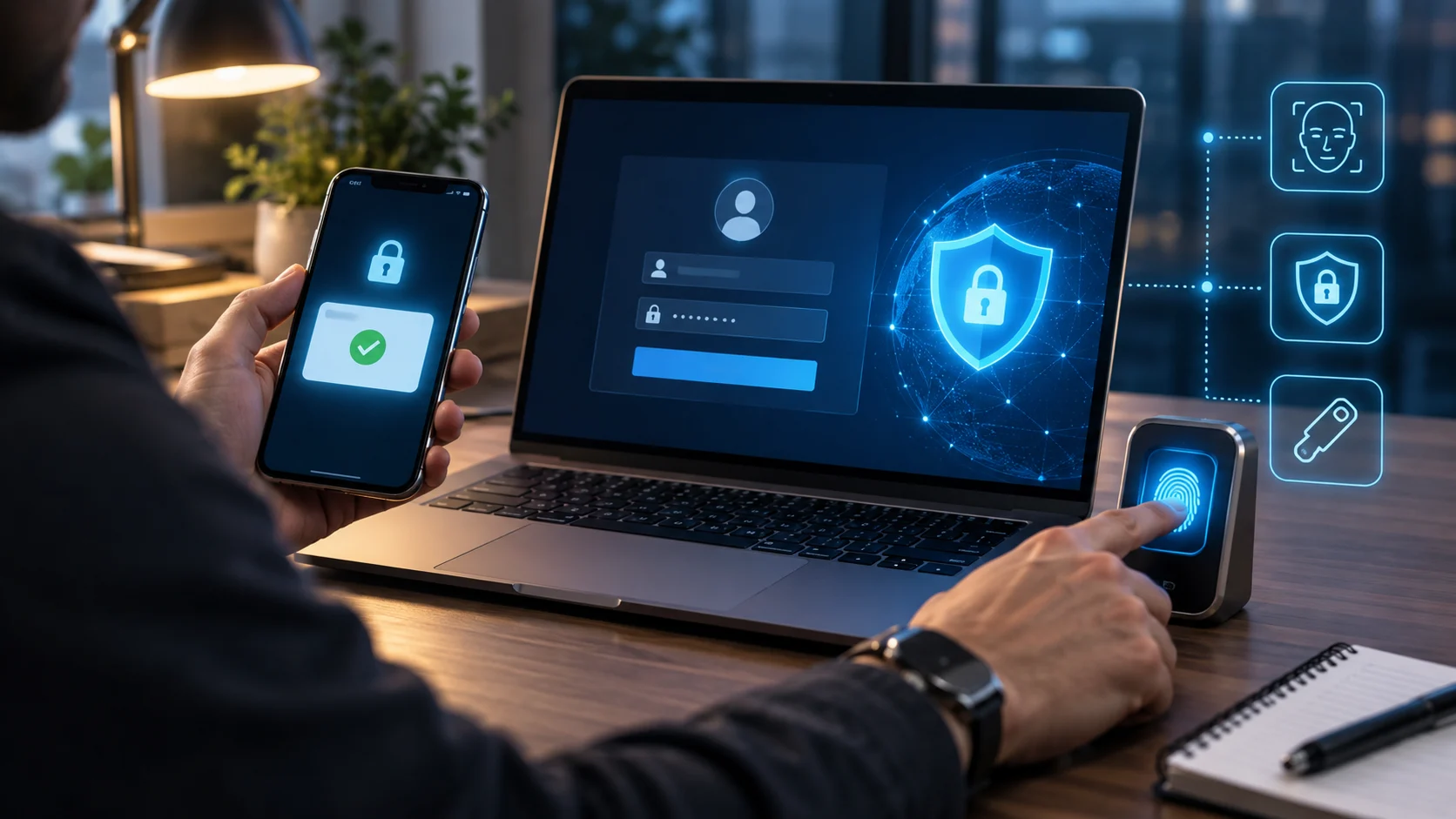
Multi-factor authentication, commonly called MFA, is one of the most effective ways to protect online accounts from unauthorized access. It adds extra verification steps beyond a password, making it harder for attackers to sign in even if login credentials are stolen. Understanding what is MFA in cyber security helps users and businesses strengthen account security without relying on passwords alone.
Cybercriminals often obtain passwords through phishing, data breaches, credential stuffing, malware, or weak password habits. MFA reduces the risk created by stolen passwords because a second or third form of verification is still required. This extra security layer is now widely used for email accounts, cloud platforms, banking, business systems, social media, and remote access.
What Is MFA in Cyber Security?
MFA, or multi-factor authentication, is a security method that requires a user to provide two or more different types of verification before gaining access to an account, application, or system. Instead of trusting only a username and password, the system checks additional evidence that confirms the person signing in is likely the legitimate user.
The additional verification can come from something the user knows, something the user owns, or something connected to the user physically. A password may be combined with a mobile authenticator code, security key, fingerprint, or face scan. Because the factors are different, stealing one credential usually does not give an attacker everything needed to log in.
MFA is part of identity and access management because it helps organizations control who can enter sensitive systems. It is especially useful for protecting administrator accounts, employee logins, customer portals, and cloud services. By adding more than one verification factor, MFA creates a stronger defense against account takeover and unauthorized access.
How Does MFA Work?
The MFA process usually begins when a user enters a username and password on a login page. If those credentials are correct, the system does not immediately provide access. Instead, it securely asks for another verification factor, such as a temporary code, approval request, biometric scan, or hardware security key.
The second factor is checked separately from the password, which creates another barrier for an attacker. For example, someone who steals a password through phishing may still be unable to access the account without the user’s authenticator app or physical security key. Once the required factors are verified, the system grants access according to the user’s permissions.
Some MFA systems also use risk-based or adaptive authentication to decide when extra verification is required. The system may examine the device, location, login behavior, IP address, or other signals before requesting another factor. This approach can improve security while reducing unnecessary authentication steps for trusted users and familiar devices.
What Authentication Factors Are Used in MFA?
The first common category is something you know, such as a password, PIN, or passphrase. Knowledge factors are easy to use, but they can also be guessed, stolen, reused, or captured through phishing. For this reason, MFA becomes stronger when a knowledge factor is combined with a different type of authentication rather than another password-like credential.
The second category is something you have, such as a smartphone, authenticator app, hardware token, smart card, or physical security key. Possession factors prove that the person attempting to sign in has access to a registered device or token. Time-based one-time passwords and cryptographic security keys are common examples used by modern applications and business systems.
The third category is something you are, which refers to biometric authentication such as fingerprints, facial recognition, or iris scans. Biometrics can provide convenient identity verification because they are connected to physical characteristics of the user. Some systems also consider behavioral patterns or location signals, although these are often used as supporting risk indicators rather than primary authentication factors.
Why Is MFA Important in Cyber Security?
Passwords are still widely used, but they are often the weakest part of account security. People may reuse passwords, choose predictable combinations, or accidentally enter credentials on phishing websites. MFA reduces the damage caused by a compromised password because attackers must overcome another independent verification step before they can gain access.
MFA is especially important for protecting accounts that contain sensitive data or powerful permissions. Email accounts, financial services, cloud dashboards, company networks, and administrator panels can all become major targets for cybercriminals. Adding multi-factor authentication helps lower the chance that a single stolen password will lead to data theft, fraud, or wider system compromise.
For businesses, MFA can also support security policies and access-control requirements across different teams and systems. It gives organizations a practical way to strengthen identity protection without completely redesigning every application. When combined with monitoring, least-privilege access, employee awareness, and incident response, MFA becomes an important layer in a broader cybersecurity strategy.
MFA vs 2FA: What Is the Difference?
Two-factor authentication, or 2FA, requires exactly two authentication factors before access is granted. For example, a user may enter a password and then provide a code generated by an authenticator app. Because two different forms of verification are required, 2FA is stronger than password-only authentication in many common login situations.
MFA is a broader term because it can require two, three, or more authentication factors depending on the security policy. In practice, people sometimes use MFA and 2FA interchangeably because many MFA setups use exactly two factors. The main difference is that 2FA always means two factors, while MFA refers to multiple independent factors.
The strength of either approach depends on the types of factors being used, not only the number of steps. A password plus an SMS code can improve security, but a password combined with a phishing-resistant security key can provide stronger protection. Organizations should therefore evaluate both the number and quality of authentication factors when designing access controls.
Common Types of MFA
Authenticator apps are one of the most common MFA options because they generate temporary codes or send approval requests to a registered device. Time-based one-time passwords usually change every few seconds, which makes old codes useless after a short period. Authenticator apps are generally more secure than relying only on reusable passwords or security questions.
SMS and email verification codes are also widely used because they are familiar and easy to deploy. However, SMS can be exposed to risks such as SIM swapping, number theft, or social engineering, while email-based codes depend heavily on the security of the email account itself. These methods can still add protection, but stronger options may be better for sensitive accounts.
Hardware security keys provide a strong form of possession-based authentication using cryptographic verification. Many modern keys support standards designed to resist phishing because the key verifies the legitimate website before completing authentication. Biometrics, smart cards, mobile push approval, and passkeys may also be included in MFA systems depending on the device, platform, and security requirements.
Where Is MFA Commonly Used?
Businesses often use MFA for employee email, cloud services, virtual private networks, remote desktops, administrative dashboards, and internal applications. These systems may contain customer data, financial information, company files, or privileged settings. Requiring additional verification makes it more difficult for stolen employee credentials to become an easy entry point into the organization.
Consumers also encounter MFA when using online banking, payment services, social media, shopping accounts, password managers, and personal email. Some services request a second factor every time, while others ask only when the user signs in from a new device or unusual location. The exact experience depends on the provider’s security settings and risk controls.
MFA is also important in security operations because compromised accounts can trigger wider incidents that need investigation. Security teams may monitor unusual authentication activity alongside other alerts and access events. Readers learning about security monitoring can also explore SOC in cyber security to understand how security teams detect, investigate, and respond to suspicious activity.
Benefits of MFA for Businesses and Users
The biggest benefit of MFA is stronger protection against account takeover. Even when a password is leaked in a breach or captured through phishing, the attacker may still lack the second factor required to sign in. This extra barrier can prevent many common attacks from turning stolen credentials into full account access.
MFA can also reduce business risk by protecting sensitive systems used by employees, contractors, administrators, and customers. A compromised privileged account can create much more damage than an ordinary user account, so stronger authentication is particularly valuable for high-level access. Organizations can apply MFA selectively or broadly depending on the sensitivity of each system and role.
For users, MFA provides an additional layer of confidence when accessing important accounts. It can also alert users to suspicious login attempts when unexpected approval requests or verification codes appear. Although MFA adds a small step during sign-in, the security benefit is usually significant compared with depending entirely on passwords that may be stolen or reused.
Common MFA Security Risks and Limitations
MFA greatly improves security, but it does not make an account impossible to compromise. Attackers may use phishing pages that capture passwords and real-time verification codes, or they may send repeated push notifications hoping the user approves one by mistake. These techniques show why the design of the authentication method matters as much as simply enabling MFA.
SMS-based MFA has additional weaknesses because phone numbers can be targeted through SIM swapping, mobile account fraud, or social engineering. Push-based MFA can also be abused through notification fatigue when attackers repeatedly send approval requests. Phishing-resistant options such as hardware security keys or well-designed passkey systems can provide stronger protection for high-risk accounts.
Organizations must also plan for lost devices, replacement phones, recovery codes, and account recovery procedures. A weak recovery process can undermine strong MFA if an attacker can easily convince support staff to reset access. Effective MFA therefore requires secure enrollment, recovery controls, user training, monitoring, and clear procedures for handling lost or compromised authentication devices.
Best Practices for Implementing MFA
Organizations should require MFA first for administrator accounts, remote access, cloud management platforms, email, financial systems, and other high-risk services. These accounts are attractive targets because they often provide access to sensitive data or powerful controls. Expanding MFA to all users can provide broader protection once the most critical systems are covered.
Whenever possible, organizations should prefer phishing-resistant authentication methods for sensitive access. Hardware security keys, device-bound credentials, and modern passkey-based approaches can reduce the risk of credential phishing compared with SMS or manually entered codes. Users should also be taught never to approve unexpected login prompts and to report suspicious authentication requests quickly.
Recovery and enrollment should receive the same attention as normal sign-in. Organizations should protect backup codes, verify identity carefully during account recovery, and remove old devices when employees leave or replace hardware. Logging authentication events and reviewing unusual sign-in behavior can help security teams identify attacks that attempt to bypass or abuse MFA controls.
How MFA Supports a Broader Cybersecurity Strategy
MFA works best as one layer within a defense-in-depth approach rather than as a complete security solution. Strong authentication should be combined with secure passwords, endpoint protection, patching, network security, access controls, backups, monitoring, and employee awareness. Each layer addresses different attack methods, reducing the chance that one failure will compromise the entire environment.
Identity security is especially important because many modern attacks begin with stolen or misused credentials. MFA helps protect the login process, while least-privilege access limits what a compromised account can do after login. Security monitoring can then detect unusual behavior, such as impossible travel, unfamiliar devices, repeated failed authentication, or unexpected access to sensitive systems.
Businesses should regularly review which applications support MFA and whether stronger authentication options have become available. Security needs change as organizations adopt new cloud platforms, remote work tools, and third-party services. Periodic reviews help ensure that MFA remains properly configured, recovery procedures stay secure, and high-risk accounts receive the strongest practical protection.
Conclusion
Understanding what is MFA in cyber security is important because passwords alone are no longer enough for many online accounts and business systems. Multi-factor authentication requires additional proof of identity before access is granted. This simple security step creates a valuable barrier between stolen credentials and sensitive information for modern organizations.
MFA can use authenticator apps, hardware keys, biometrics, temporary codes, or other independent verification factors. Some methods provide stronger protection than others, especially against phishing and social engineering attacks in real-world situations. Choosing the right combination depends on the sensitivity of the account, the available technology, and the level of risk involved.
For individuals and organizations, enabling MFA is a practical step toward stronger identity security. It works best when paired with secure recovery procedures, employee awareness, monitoring, and careful access management. No single security control stops every cyberattack, but properly implemented MFA can make unauthorized account access considerably more difficult in everyday practice.
FAQs
What does MFA stand for in cyber security?
MFA stands for multi-factor authentication. It is a security process that requires two or more different forms of verification before a user can access an account, application, or system.
Is MFA better than using only a password?
Yes. MFA adds another security barrier, so a stolen password alone is usually not enough to access the account. The strength depends on the type of second factor being used.
Is MFA the same as 2FA?
Not exactly. Two-factor authentication always uses two factors, while MFA can use two or more. In everyday use, the terms are often used similarly because many MFA systems require two factors.
Can MFA be hacked?
MFA can sometimes be bypassed through phishing, stolen devices, SIM swapping, weak recovery processes, or fraudulent approval requests. Phishing-resistant methods such as security keys can reduce several of these risks.
What is the most secure type of MFA?
Phishing-resistant authentication using hardware security keys or modern cryptographic credentials is generally stronger than SMS codes. The best option also depends on the system, user needs, and recovery process.