
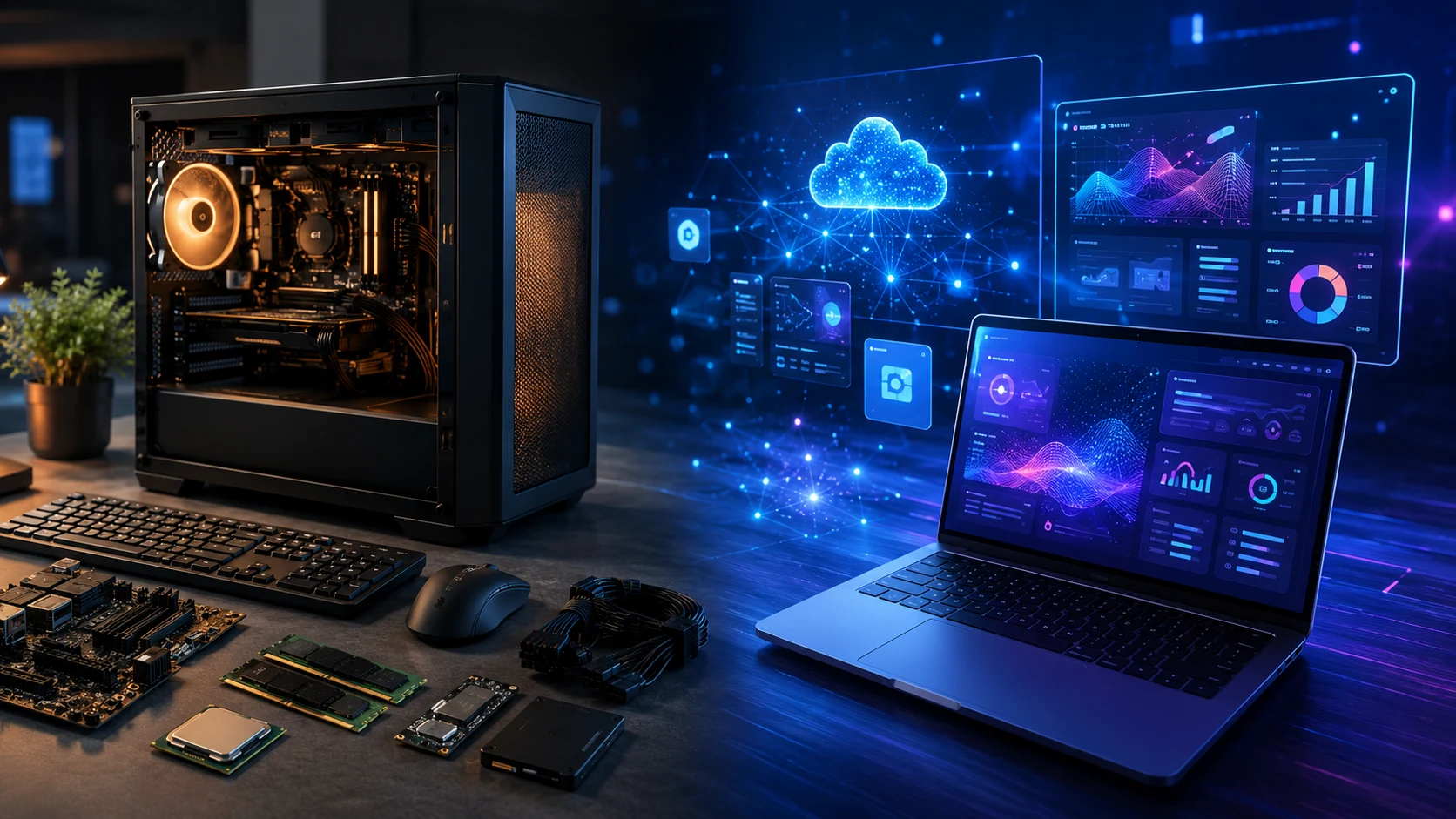
Hardware vs Software: Understanding What Makes Technology Work
Technology is part of almost everything we do today, from sending a message on a smartphone to managing an entire business through cloud-based platforms. Behind these everyday digital experiences are two essential components: hardware and software. Although the terms are often used together, they describe very different parts of a computer system. Hardware refers to the physical components you can see and touch, while software refers to the programs, instructions, and digital processes that tell those components what to do. Understanding the difference between hardware and software makes it much easier to understand computers, smartphones, networks, and other modern technology.
The relationship between hardware and software has also changed significantly as technology has evolved. Modern processors have become more powerful, storage devices have become faster, and software increasingly relies on artificial intelligence, cloud computing, automation, and connected services. Yet the fundamental principle remains the same: hardware provides the physical computing resources, while software provides the instructions that use those resources. Neither is particularly useful without the other in most computing environments. This guide explains hardware vs software in practical terms, explores important examples, compares their differences, and shows how both work together to create the digital systems people use every day.
What Is Hardware?
Hardware refers to the physical parts of a computer, smartphone, server, network, or other electronic system. These components have a physical form, which means you can generally see, touch, move, install, repair, or replace them. Common computer hardware includes the processor, motherboard, memory modules, storage drives, monitor, keyboard, mouse, and graphics card. Smartphones contain hardware such as processors, cameras, batteries, screens, microphones, and sensors. Even networking equipment such as routers, switches, and access points falls within the hardware category. In simple terms, if a component physically exists inside or around a computing device, it is usually considered hardware.
Computer hardware can be divided into internal and external components depending on where it is located and how it is used. Internal hardware includes components installed inside a computer case, such as the central processing unit, random access memory, motherboard, power supply, and solid-state drive. External hardware includes peripherals such as monitors, keyboards, printers, webcams, speakers, and external storage drives. Some external devices communicate with computers through USB, Bluetooth, Wi-Fi, or other connection technologies. Although their locations differ, internal and external hardware ultimately contribute to the same goal. They provide the physical resources needed to process information, store data, receive input, generate output, and communicate with other systems.
One of the most important hardware components is the central processing unit, commonly called the CPU or processor. The CPU executes instructions and performs calculations required by software running on the computer. RAM provides temporary working memory so the processor can quickly access information needed by active applications. Storage devices such as SSDs and hard disk drives preserve files and software even when the computer is turned off. Meanwhile, the motherboard connects major internal components and allows them to communicate with one another. Each piece has a specialized role, which is why computer performance depends on the capabilities and compatibility of multiple hardware components rather than a single device.
Hardware also determines many of the physical limits of a computing system. A computer with insufficient RAM, for example, may struggle when multiple demanding applications are open simultaneously. A slower processor may take longer to complete complex calculations, while limited storage capacity restricts how much data can be kept locally. Graphics processing units can significantly affect gaming, video editing, 3D rendering, machine learning, and other graphics-intensive or parallel workloads. Network hardware influences connectivity and data transfer performance. For this reason, hardware specifications matter when choosing a computer for a particular purpose, whether that purpose involves everyday browsing, professional creative work, software development, business operations, scientific computing, or gaming.
Unlike digital programs, hardware can experience physical wear, damage, overheating, corrosion, or mechanical failure. Batteries gradually lose capacity, cooling fans may wear out, storage devices can eventually fail, and ports may become damaged through repeated use. Hardware can often be upgraded or replaced to extend the useful life of a computer. Adding more memory, replacing an older storage drive with a faster SSD, or installing a stronger graphics card can improve performance in compatible systems. However, upgrades are limited by factors such as motherboard compatibility, available power, physical dimensions, and manufacturer design. These characteristics distinguish hardware from software and explain why maintaining physical computing equipment remains an important part of technology management.
What Is Software?
Software is a collection of programs, instructions, data, and related resources that tells computer hardware how to perform particular tasks. Unlike hardware, software does not have a physical form that users can directly touch. It exists digitally and is stored on devices such as SSDs, hard drives, memory chips, servers, and cloud infrastructure. Examples include operating systems, web browsers, productivity applications, mobile apps, video games, database systems, and security programs. When you open a browser, edit a document, stream a video, or use a messaging application, you are interacting with software. It provides the instructions and interfaces that turn physical computing components into useful tools.
Software can generally be divided into several categories based on its purpose. System software manages the fundamental operation of a computer and provides a platform on which other programs can run. Operating systems such as Windows, macOS, Linux, Android, and iOS are familiar examples of system software. Application software is designed to help users perform specific activities, such as writing documents, editing photographs, managing finances, browsing websites, or communicating with colleagues. Utility software performs supporting tasks such as file management, backup, security scanning, and system maintenance. Together, these software categories create layers that allow users and applications to interact efficiently with underlying computer hardware.
Another important category is programming software, which developers use to create, test, debug, and maintain other programs. Programming languages, code editors, integrated development environments, compilers, interpreters, debuggers, and development frameworks all support the software development process. Developers write source code that defines how an application should behave under different circumstances. That code is then interpreted or translated into instructions that the computer can process. Modern software development may also involve cloud platforms, APIs, containers, version-control systems, automated testing, and artificial intelligence-assisted development tools. Although users may never see these underlying processes, they play a major role in creating the applications and digital services people rely on every day.
Software is generally easier to modify or distribute than physical hardware because changes can often be delivered digitally. Developers can release software updates that introduce features, improve compatibility, patch security vulnerabilities, or fix known bugs. Users may download these updates through the internet without replacing any physical computer component. Cloud-based software can sometimes be updated centrally, meaning users receive improvements without manually installing a new version. However, software still has limitations and requirements because every program depends on computing resources. An application may require a particular operating system, processor architecture, amount of RAM, graphics capability, storage capacity, or internet connection to function properly and deliver acceptable performance.
Modern software is increasingly connected to online infrastructure rather than operating entirely on a single local device. Cloud applications can store information and perform processing on remote servers while users access the service through browsers or dedicated apps. Software as a Service, commonly known as SaaS, has become common for communication, customer management, accounting, project management, collaboration, and many other business functions. Artificial intelligence is also being integrated into software to support content generation, search, automation, analytics, recommendations, and decision assistance. Despite these developments, the basic definition remains consistent. Software consists of digital instructions and programs that use hardware resources to perform tasks and deliver useful computing experiences.
Hardware vs Software: What Is the Main Difference?
The simplest difference between hardware and software is that hardware is physical while software is digital. A keyboard, processor, monitor, SSD, and graphics card are examples of hardware because they are tangible components. A browser, operating system, mobile application, and video game are software because they consist primarily of digital instructions and data. Hardware provides the physical foundation required for computing, while software determines how those resources are used. This distinction may sound straightforward, but understanding it helps explain many technology problems and purchasing decisions. When a computer behaves incorrectly, determining whether the issue originates from hardware or software is often one of the first troubleshooting steps.
Another major difference involves how hardware and software are created. Hardware is designed using electronic and mechanical engineering processes and then physically manufactured from materials such as silicon, metals, plastics, glass, and circuit-board components. Software is developed primarily by writing, testing, and maintaining computer code. Producing additional physical hardware requires manufacturing resources, whereas another copy of software can usually be distributed digitally at relatively low incremental cost. This difference influences how technology products are developed, sold, upgraded, and maintained. Hardware companies must manage manufacturing and physical supply chains, while software organizations often focus heavily on development infrastructure, deployment systems, licensing, cloud services, security, updates, and technical support.
Hardware and software also fail in different ways. Hardware problems may result from physical damage, excessive heat, electrical issues, manufacturing defects, aging components, dust buildup, or mechanical wear. Software problems typically involve bugs, corrupted files, configuration errors, compatibility conflicts, malware, outdated dependencies, or unsuccessful updates. Some symptoms can make the distinction difficult because a software issue may resemble a hardware problem. A computer crash, for example, could result from defective memory, overheating hardware, a problematic driver, or an unstable application. Effective troubleshooting therefore involves testing both possibilities. Understanding hardware vs software helps users narrow down potential causes instead of immediately replacing equipment or reinstalling programs without identifying the underlying issue.
The upgrade process is another important difference between hardware and software. Upgrading hardware usually requires obtaining and installing a physical component, provided the device supports replacement or expansion. Software upgrades are normally performed by downloading and installing a newer version or receiving an automatic update. Hardware upgrades may improve processing speed, storage capacity, graphics performance, connectivity, or memory resources. Software upgrades may introduce new functionality, strengthen security, improve stability, or change the user interface. In practice, the two upgrade types can affect each other. Newer software may demand more powerful hardware, while upgraded hardware may enable users to run applications or features that were impractical on an older system.
Ownership and licensing can also differ significantly between hardware and software. When consumers purchase physical hardware, they generally own the particular device, although warranties and usage restrictions may still apply. Software is frequently provided through a license that grants users permission to use the program under defined conditions. Some programs require a one-time purchase, while others operate through monthly or annual subscriptions. Open-source software may provide additional rights to inspect, modify, and redistribute source code under specific licenses. Cloud software can further change the relationship because the application may operate primarily on infrastructure owned by a service provider. These differences make hardware and software distinct not only technically but also commercially and operationally.
Common Examples of Hardware
Input devices are among the easiest hardware examples to recognize because they allow users to send information or commands to a computer. Keyboards provide text and command input, while mice and touchpads control pointers and graphical interfaces. Microphones capture audio, scanners convert physical documents into digital information, and webcams capture images or video. Touchscreens can function as both input and output devices because they display visual information while detecting touch gestures. Specialized systems may use barcode scanners, fingerprint readers, drawing tablets, game controllers, or industrial sensors. Each input device converts a physical action or real-world signal into information that computer software can process, interpret, store, or use to trigger another action.
Output devices perform the opposite function by presenting processed information in a form people or other systems can use. A monitor displays visual output such as text, images, videos, applications, and graphical interfaces. Printers convert digital documents into physical copies, while speakers and headphones transform digital audio signals into sound. Projectors display computer-generated visuals on larger surfaces for presentations, classrooms, entertainment, and professional environments. Some machines use specialized output devices such as industrial control displays, haptic systems, or status indicators. Output hardware is essential because computing would have limited practical value if users could enter information but could not receive understandable results after the system processed their commands and data.
Processing hardware performs the calculations and operations required to execute software instructions. The CPU remains the primary general-purpose processor in most computers, but modern systems frequently include additional specialized processing components. A graphics processing unit, or GPU, is optimized for handling graphics and large numbers of parallel calculations. GPUs are widely used in gaming, professional visualization, video processing, scientific computing, and certain artificial intelligence workloads. Smartphones often use system-on-chip designs that combine processors, graphics capabilities, memory controllers, and other functions within a compact package. Specialized accelerators may also handle machine learning, signal processing, or security functions. These developments demonstrate how computer hardware continues to evolve alongside increasingly sophisticated software requirements.
Storage hardware keeps digital information available for later use. Solid-state drives have become common in modern computers because they generally provide faster access times and contain no moving mechanical parts. Hard disk drives remain useful where large amounts of storage are required economically, although their mechanical design affects speed and durability. USB flash drives, memory cards, external drives, and network-attached storage provide additional ways to save or transfer information. Storage should not be confused with RAM, which primarily provides temporary working space for active programs. Permanent storage retains operating systems, applications, documents, photographs, videos, databases, and other files even after the computer has been powered off.
Networking devices are another major category of hardware because modern computers rarely operate in complete isolation. Routers direct network traffic and help connect local devices to other networks, including the internet. Network switches connect multiple devices within local networks, while wireless access points provide Wi-Fi connectivity. Network interface controllers allow computers and other devices to communicate through wired or wireless connections. Modems may connect a home or business network to an internet service depending on the access technology being used. Data centers contain extensive networking equipment alongside servers and storage systems. Together, these hardware components make online communication, cloud computing, remote collaboration, video streaming, connected devices, and many other modern digital services possible.
Common Examples of Software
Operating systems are among the most important examples of system software because they coordinate hardware resources and provide the environment needed for applications to operate. An operating system manages memory, storage, files, processors, connected devices, security permissions, and user accounts. It also provides interfaces that allow people to interact with their computers or mobile devices without controlling hardware directly. Desktop operating systems support activities ranging from office work to professional development, while mobile operating systems are optimized for touchscreens, wireless connectivity, battery management, and mobile applications. Without an operating system or comparable system layer, most general-purpose computing devices would be far more difficult for ordinary users to operate effectively.
Web browsers are familiar examples of application software. They allow users to access websites, web applications, streaming platforms, search engines, email services, online stores, and cloud-based productivity tools. Modern browsers do much more than display simple web pages because they can execute complex code, manage downloads, store local information, support extensions, handle multimedia, and apply important security controls. Many applications that once required dedicated desktop software can now operate partially or entirely inside a browser. This change has made browsers an important bridge between local computer hardware and remote cloud infrastructure. Browser performance still depends on hardware resources such as processing power, available RAM, storage performance, and network connectivity.
Productivity programs are another widespread software category used by individuals, students, organizations, and businesses. Word processors help users create and edit documents, spreadsheet applications organize and analyze data, and presentation software supports visual communication. Project management applications help teams organize tasks, responsibilities, timelines, and workflows. Customer relationship management software helps businesses organize sales and customer information, while accounting programs support financial recordkeeping and reporting. Collaboration platforms combine messaging, meetings, file sharing, and other workplace functions. These programs illustrate why application software is valuable: instead of requiring users to understand computer instructions directly, software presents features and interfaces designed around specific real-world activities and objectives.
Security software helps protect systems, applications, networks, and information against digital threats. Examples include anti-malware tools, endpoint security applications, firewalls, encryption utilities, password managers, and monitoring systems. Some security capabilities are built directly into operating systems, while organizations may deploy additional tools for specialized protection. Software security has become particularly important as computing environments increasingly involve cloud services, remote work, connected devices, online accounts, and distributed business systems. However, security software cannot compensate for every physical weakness. Stolen hardware, insecure networking equipment, outdated firmware, or damaged storage devices can create separate risks. Effective cybersecurity therefore often requires a combination of secure software, properly configured hardware, sensible access controls, and responsible user behavior.
Entertainment and creative applications provide additional examples of how diverse software has become. Video games combine programming, graphics, audio, physics simulation, networking, and interactive design to create digital experiences. Photo and video editing applications allow creators to manipulate high-resolution media, while music production software provides tools for recording, arranging, mixing, and processing sound. 3D modeling applications support animation, product design, architecture, engineering, and visual effects. These programs can place significant demands on CPUs, GPUs, memory, and storage systems. Consequently, professional or gaming software often publishes recommended hardware specifications. This connection reinforces a central principle of computing: sophisticated software experiences ultimately depend on hardware powerful enough to execute their instructions efficiently.
How Hardware and Software Work Together
Hardware and software function as interconnected layers rather than completely independent technologies. When you click an application icon, software instructions trigger a sequence of operations involving several physical components. The operating system locates the necessary program data on the storage device and loads relevant information into memory. The processor begins executing program instructions, while the GPU may generate visual elements displayed on the monitor. Input from the keyboard, mouse, touchscreen, or microphone is captured by hardware and interpreted by software. This interaction happens extremely quickly, often making the process feel instantaneous. Almost every action performed on a modern computer depends on repeated communication between physical components and digital instructions.
Consider what happens when you type a document. Pressing a keyboard key creates an electronic input signal that is sent to the computer. System software and device drivers help interpret that signal, while the word-processing application determines which character or command should appear. The processor executes the required instructions, and the graphics system generates the visual representation displayed on the monitor. When you save the document, software instructs the storage system to preserve the relevant data. A simple keystroke therefore involves multiple layers of hardware and software working together. Users normally see only the final result because operating systems and applications are designed to hide much of this underlying technical complexity.
Device drivers play a particularly important role in connecting operating systems with hardware components. A driver is specialized software that allows the operating system to communicate with a particular device or category of devices. Printers, graphics cards, network adapters, audio hardware, and other components may depend on drivers to provide complete functionality. If a driver is missing, outdated, incompatible, or corrupted, the physical device may not operate correctly even when nothing is mechanically wrong with it. This is why troubleshooting hardware problems sometimes involves updating or reinstalling software. Drivers demonstrate that the boundary between hardware and software is clear conceptually, but the two categories remain deeply dependent on each other during everyday computer operation.
Firmware provides another interesting connection between physical devices and traditional software. Firmware is specialized software stored within or closely associated with hardware and is designed to control low-level device functions. Routers, storage devices, cameras, printers, smart appliances, computer motherboards, and many other electronic products use firmware. Unlike ordinary applications, firmware usually operates closer to the hardware and may not require frequent direct interaction from users. Manufacturers sometimes release firmware updates to fix bugs, address security issues, improve compatibility, or add capabilities. Updating firmware requires care because an interrupted or incorrect update can sometimes make a device unusable. Firmware illustrates how modern devices depend on multiple software layers operating at different levels.
Performance also depends on how effectively software uses available hardware. A powerful computer can still feel slow if an application is poorly optimized, overloaded with unnecessary processes, or affected by software conflicts. Conversely, efficiently designed software may perform well on relatively modest hardware by using processing and memory resources carefully. Developers increasingly optimize applications for specific processor architectures, graphics capabilities, and hardware accelerators. Operating systems also manage resource allocation among many programs running simultaneously. For users, this means purchasing the most expensive hardware does not automatically guarantee the best experience. Good performance usually comes from an appropriate combination of capable hardware, optimized software, updated drivers, sufficient resources, and sensible system configuration.
Hardware vs Software Problems: How to Tell the Difference
Identifying whether a computer problem comes from hardware or software can save considerable troubleshooting time. Hardware problems often involve physical symptoms such as unusual noises, overheating, intermittent power, damaged ports, screen artifacts, or a component that is not detected. Software issues are more likely to involve application crashes, error messages, configuration problems, failed updates, or features behaving incorrectly. However, there is substantial overlap between these symptoms. A defective storage drive can cause file corruption that appears to be a software issue, while a faulty driver can make perfectly functional hardware seem broken. The best approach is therefore to collect evidence and test likely causes systematically rather than making assumptions based on one symptom.
A useful troubleshooting step is determining how broadly the problem occurs. If only one application crashes while everything else works normally, the issue may be related to that particular program, its configuration, or its dependencies. If multiple unrelated programs crash under heavy workloads, hardware instability, overheating, memory problems, or broader operating-system issues may deserve investigation. Similarly, if a printer works with one computer but not another, the physical printer is less likely to be the primary problem. Testing components across known-working environments can help isolate the cause. Keeping operating systems, applications, device drivers, and firmware appropriately updated can also eliminate known compatibility or security problems before more complicated troubleshooting begins.
Performance problems require particularly careful diagnosis because both hardware and software can contribute. A computer may become slow because it lacks sufficient memory, has limited storage performance, or uses an older processor. However, excessive background applications, malware, poorly optimized software, unnecessary startup programs, or operating-system problems can create similar symptoms. Monitoring processor usage, memory consumption, storage activity, temperatures, and application behavior can provide useful clues. Users should also consider whether the slowdown started after installing a program, updating software, connecting new hardware, or changing system settings. Identifying when a problem began often provides valuable context and can prevent unnecessary purchases or disruptive system changes.
Physical inspection can help identify obvious hardware issues, but users should avoid opening devices when doing so could create electrical hazards, cause additional damage, or affect warranty coverage. Loose cables, blocked ventilation, damaged connectors, swollen batteries, and excessive dust can sometimes explain unstable behavior. Battery swelling deserves particular caution because damaged lithium-ion batteries should not be punctured, compressed, or casually handled. For software problems, safer troubleshooting options may include restarting the application, checking updates, reviewing settings, scanning for malware, or reinstalling the affected program. Important data should be backed up before performing major repairs, operating-system resets, storage replacements, or other procedures that could result in data loss.
Professional technical support may be appropriate when the source of a problem remains unclear or when repair requires specialized tools. Hardware technicians can test components such as memory, storage devices, power systems, displays, and motherboards. Software specialists can investigate operating-system errors, application conflicts, malware, network configurations, and data-related issues. In business environments, IT teams often use diagnostic and monitoring tools to distinguish between infrastructure failures and software problems. The important point is that similar symptoms can originate from very different causes. Understanding the distinction between hardware and software gives users a practical framework for describing technical problems clearly, performing basic troubleshooting, and deciding when replacement, repair, configuration changes, or software updates are appropriate.
Choosing the Right Hardware and Software
Choosing technology should begin with what you actually need to accomplish rather than focusing only on impressive specifications. A person who primarily browses the web, writes documents, attends video meetings, and streams media may not require the same hardware as a professional video editor or 3D designer. Gamers may prioritize graphics performance, while software developers may value processor performance, memory capacity, and fast storage. Businesses may prioritize reliability, security, manageability, and compatibility with existing systems. Identifying the intended workload makes it easier to choose suitable hardware without paying for resources that provide little practical benefit. The same principle applies when selecting software because more features do not necessarily produce a better user experience.
Compatibility should be checked carefully before purchasing either hardware or software. Applications often list minimum and recommended system requirements covering operating systems, processors, memory, storage, and graphics capabilities. Hardware components also have compatibility requirements involving interfaces, physical dimensions, power delivery, processor sockets, memory standards, and motherboard support. A powerful graphics card, for example, may not be practical if a computer lacks sufficient power, physical space, or an appropriate connection. Similarly, specialized software may not support every operating system or processor architecture. Checking compatibility beforehand reduces the risk of spending money on products that cannot work properly together and helps create a more stable overall computing environment.
Security and update support should also influence purchasing decisions. Hardware that no longer receives firmware or operating-system support may become increasingly difficult to secure over time. Similarly, software that has reached the end of its supported life may stop receiving important vulnerability fixes. For businesses, unsupported technology can create operational, compliance, and cybersecurity concerns. Consumers should consider how long a manufacturer or developer is expected to provide updates, especially for devices connected to the internet. Regular support does not guarantee perfect security, but it provides a mechanism for addressing newly discovered problems. Long-term support can therefore be just as important as performance specifications when evaluating the overall value of technology.
Total cost should include more than the initial purchase price. Hardware may require accessories, replacement batteries, repairs, additional storage, extended warranties, or eventual upgrades. Software may involve subscriptions, licensing fees, cloud storage charges, support plans, premium features, or costs for additional users. Businesses may also need to account for training, migration, integration, administration, security, and downtime. A low-cost solution can become expensive if it requires frequent troubleshooting or replacement. Conversely, purchasing far more computing power or software functionality than necessary can waste money. Evaluating total cost of ownership helps individuals and organizations make technology decisions based on long-term usefulness rather than focusing solely on the price displayed at checkout.
Future requirements deserve consideration because both hardware and software continue to evolve rapidly. Artificial intelligence features, cloud applications, higher-resolution media, modern games, and professional software can increase computing demands over time. Choosing slightly more memory or storage than currently required may extend the useful life of a computer, although excessive future-proofing can become unnecessarily expensive. Software selection should also consider data portability, compatibility, scalability, and the ability to integrate with other tools. The strongest technology setup is usually not the system with the highest specifications. It is the combination of hardware and software that reliably supports current needs, provides reasonable room for growth, remains secure, and fits within an appropriate budget.
Why Hardware and Software Still Matter in Modern Computing
Cloud computing can make physical hardware seem less visible, but it has not eliminated the need for it. When users store files online or run applications through a browser, the processing and storage may simply occur on remote servers instead of the local computer. Those servers still contain processors, memory, storage drives, networking equipment, cooling systems, and power infrastructure. Cloud providers operate enormous data centers filled with physical computing equipment that supports digital services. From the user’s perspective, software may feel detached from specific machines, yet every cloud application ultimately depends on hardware somewhere. Understanding this relationship prevents the misconception that modern software can operate independently of physical computing infrastructure.
Artificial intelligence provides another clear example of the continuing relationship between hardware and software. AI applications are built from algorithms, models, data-processing systems, and software interfaces, but running advanced models requires substantial computing resources. GPUs and specialized AI accelerators can perform large numbers of calculations efficiently, making them valuable for training and running certain machine-learning workloads. Software frameworks determine how those hardware resources are used, while optimized hardware can make new software capabilities practical. This interaction is driving innovation in computers, smartphones, servers, vehicles, and other devices. AI therefore does not replace the traditional hardware-software relationship; instead, it demonstrates how tightly the two continue to evolve together.
Smartphones also show how hardware and software are becoming more integrated. Modern phones contain cameras, biometric sensors, processors, wireless radios, microphones, speakers, displays, batteries, and numerous environmental or motion sensors. Software coordinates these components to provide photography, navigation, communication, payments, entertainment, productivity, and health-related features. Computational photography is a useful example because image quality depends not only on camera hardware but also on software that processes multiple exposures, reduces noise, adjusts color, and enhances detail. A phone with capable hardware can deliver disappointing results if its software is poorly optimized. Likewise, advanced software features may be limited when the underlying hardware lacks required sensors or processing capabilities.
The Internet of Things further expands the hardware-software relationship beyond traditional computers and smartphones. Smart thermostats, security cameras, industrial sensors, connected appliances, wearable devices, and vehicle systems combine physical components with embedded software and network connectivity. These products collect information from the physical environment and use software to analyze data, automate actions, or communicate with other systems. Their usefulness depends on reliable hardware, secure firmware, stable software, and appropriate networking infrastructure. Because connected devices may remain in service for years, long-term software and security support is especially important. IoT demonstrates that understanding hardware and software is increasingly relevant to everyday objects, workplaces, factories, transportation systems, and homes.
Ultimately, hardware and software remain the two foundational elements that make digital technology useful. Hardware provides the physical ability to calculate, store, display, sense, transmit, and receive information. Software transforms those capabilities into meaningful functions by providing instructions, interfaces, workflows, and automated processes. As technology develops, the boundaries may sometimes appear less obvious because firmware, cloud computing, virtualization, embedded systems, and AI create additional layers. Nevertheless, the fundamental distinction remains valuable for students, consumers, professionals, and anyone troubleshooting or purchasing technology. Understanding hardware vs software makes it easier to evaluate devices, interpret specifications, diagnose problems, select applications, and appreciate how the digital tools used every day actually work.
Conclusion
The difference between hardware and software becomes simple once you focus on their basic roles. Hardware includes the physical components of a computing system, such as processors, memory, storage drives, keyboards, monitors, graphics cards, and networking equipment. Software includes the digital programs and instructions that make those physical components perform useful tasks. Hardware supplies computing resources, while software determines how those resources are organized and used. Although the two categories are fundamentally different, modern technology depends on their continuous interaction. From smartphones and laptops to business servers and cloud platforms, practically every computing experience combines physical infrastructure with multiple layers of software.
Knowing the distinction can also make technology decisions easier. When buying a computer, users can evaluate whether the processor, RAM, storage, graphics capability, and other hardware specifications match their needs. When choosing applications, they can check operating-system support, system requirements, security updates, features, and compatibility. This approach helps prevent common mistakes such as purchasing software that cannot run properly on existing equipment. It can also reduce unnecessary hardware upgrades when a performance problem is actually caused by software. Understanding both sides of a computing system provides a clearer picture of why a device performs the way it does and what changes could realistically improve it.
The distinction is equally valuable during troubleshooting. Physical damage, overheating, component wear, and electrical failures generally point toward hardware, while bugs, corrupted files, incompatible drivers, and incorrect configurations typically involve software. However, the symptoms frequently overlap because software depends on hardware and hardware depends on software instructions. Systematic troubleshooting is therefore more reliable than guessing. Checking when a problem started, determining which applications or components are affected, reviewing updates, monitoring resource usage, and testing known-working alternatives can help isolate the cause. When the issue involves valuable data, electrical hazards, or complicated repairs, professional assistance may be safer than experimenting with unfamiliar components.
Emerging technologies are making hardware and software even more interconnected. Artificial intelligence depends on sophisticated software models as well as powerful processors and accelerators. Cloud computing moves workloads away from local devices but still relies on enormous amounts of server and networking hardware. Internet-connected products combine sensors, firmware, applications, and cloud services into unified systems. Smartphones use software algorithms to extract more value from cameras, processors, displays, and sensors. These developments show that innovation rarely happens entirely on one side. Improvements in hardware enable developers to create more demanding software, while new software requirements encourage engineers to design faster, more efficient, and increasingly specialized hardware.
For everyday users, there is no need to understand every technical detail to benefit from knowing how these concepts fit together. Remembering that hardware is the physical equipment and software is the digital instruction layer provides a useful starting point. A computer needs both to perform meaningful work, just as modern applications require computing resources somewhere to execute their instructions. Whether you are buying a laptop, installing an application, troubleshooting a slow computer, managing business technology, or simply learning how computers work, understanding hardware vs software gives you a stronger foundation. As technology continues to change, that basic distinction will remain one of the most useful concepts for understanding the digital world.