
PPPoE Meaning: How It Works & Why It’s Used
PPPoE is a networking term that often appears when people set up a broadband connection, configure a new router, or troubleshoot why an internet service is not connecting. The abbreviation stands for Point-to-Point Protocol over Ethernet, a technology that allows PPP communication to operate across Ethernet networks. Internet service providers have used PPPoE for years because it gives them a practical way to authenticate subscribers, establish individual sessions, and manage customer access. Instead of simply connecting a device to Ethernet and immediately receiving internet access, a PPPoE connection usually requires a username and password. Once those credentials are verified, the provider establishes a session for the subscriber. This process helps separate and manage many individual users across shared broadband infrastructure.
Although broadband technologies have evolved significantly, understanding the PPPoE meaning remains useful because many fiber, DSL, and other internet services still depend on it. A customer may receive an optical network terminal, modem, or gateway from an ISP and then need to configure PPPoE credentials on a separate router. Businesses may encounter PPPoE when replacing networking equipment or changing firewall configurations. The technology operates largely behind the scenes, so most users only notice it when something stops working. Knowing how PPPoE sessions are created can make troubleshooting much easier. It also explains why simply connecting an Ethernet cable does not always result in immediate internet connectivity.
PPPoE combines characteristics of two networking technologies that were originally designed for different purposes. PPP, or Point-to-Point Protocol, was widely used for direct communication links and included useful features such as authentication and session management. Ethernet, by contrast, allows many devices to communicate across local networks. PPPoE encapsulates PPP information inside Ethernet frames so providers can use PPP-style controls over Ethernet-based broadband access. This gives ISPs the ability to maintain logical subscriber sessions while using modern Ethernet infrastructure. Each connected customer can therefore be identified and managed separately even when many subscribers share parts of the same provider network.
For everyday users, PPPoE mainly matters during internet setup and troubleshooting. Router configuration screens may offer connection types such as Dynamic IP, Static IP, and PPPoE. Selecting PPPoE typically reveals fields for an ISP-provided username and password, along with optional settings such as service name, MTU, and connection mode. If those credentials are incorrect or the connection settings do not match provider requirements, the router may fail to establish an internet session. Problems with cabling, provider equipment, authentication servers, or VLAN settings can produce similar symptoms. Understanding what PPPoE is helps users distinguish an authentication issue from a general Wi-Fi or local network problem.
PPPoE should therefore be understood as more than another router option. It is a method for creating authenticated point-to-point sessions across an Ethernet network, allowing providers to control access and associate connections with individual subscriber accounts. Its design has practical implications for authentication, addressing, overhead, MTU size, troubleshooting, and network performance. The following sections explain how PPPoE works from the initial discovery process through session establishment and termination. They also explore why internet service providers use it, how it differs from DHCP and static addressing, and what common configuration problems look like. With these fundamentals, PPPoE becomes much easier to understand and manage.
What Is PPPoE?
PPPoE stands for Point-to-Point Protocol over Ethernet, a networking protocol that carries PPP traffic inside Ethernet frames. Its purpose is to combine the subscriber-management capabilities of PPP with the flexibility of Ethernet-based networks. In a traditional point-to-point environment, PPP connects two endpoints directly and can provide authentication, link configuration, and network-layer negotiation. Ethernet normally supports many devices sharing the same local network infrastructure rather than maintaining dedicated logical sessions. PPPoE bridges these approaches by allowing each user to establish an individual PPP session through Ethernet. This makes it particularly useful for broadband providers serving many subscribers through shared access infrastructure.
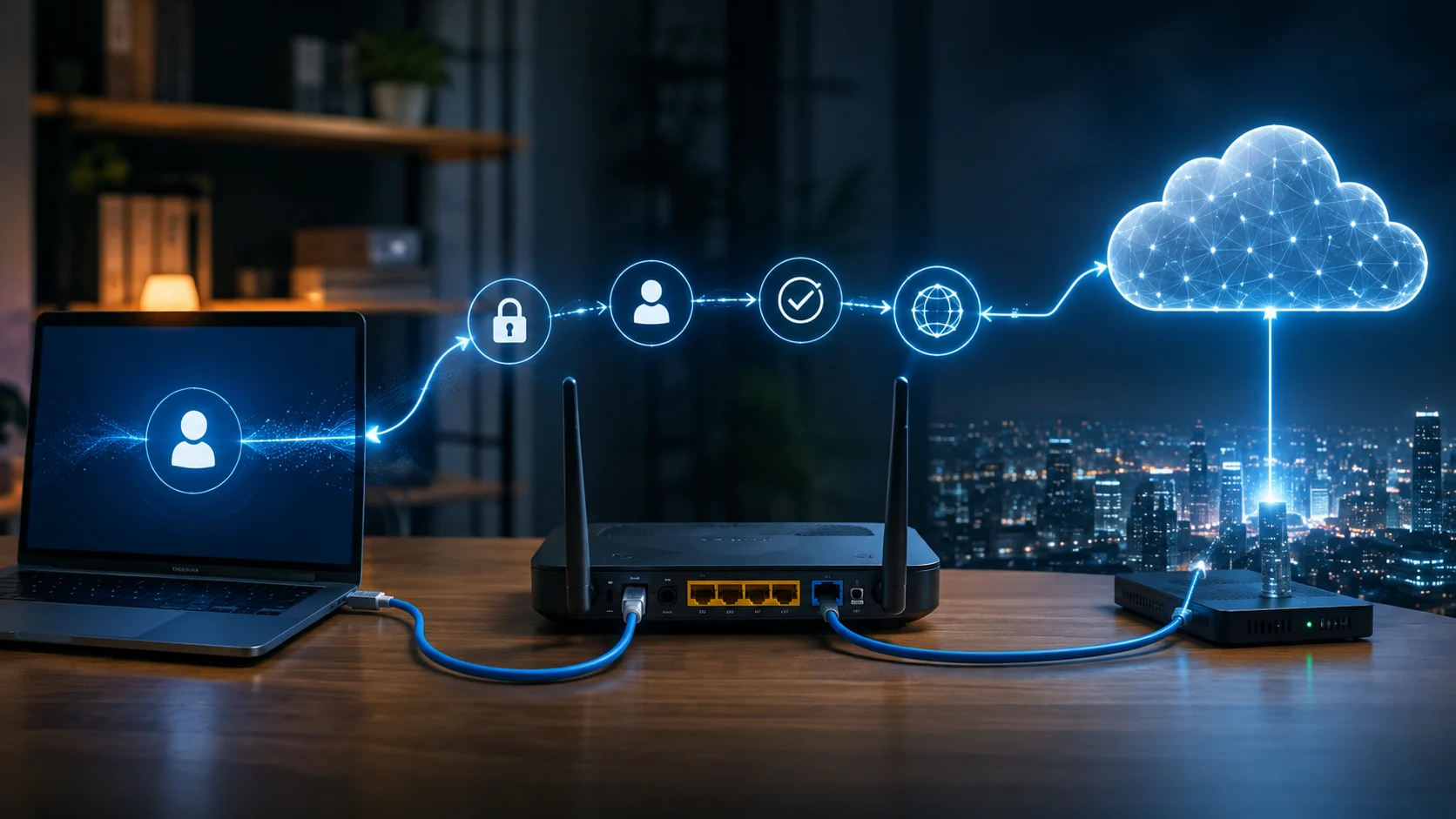
A typical PPPoE connection involves a customer device and provider-side access equipment. The customer endpoint is often a router, firewall, broadband gateway, or computer configured as a PPPoE client. On the provider side, a broadband network gateway or similar access concentrator accepts and manages subscriber sessions. Before normal internet traffic begins, the two sides discover each other and establish a logical PPPoE session. Authentication can then confirm whether the subscriber is authorized to use the service. Once the necessary parameters are negotiated successfully, IP traffic flows through the PPP session encapsulated inside Ethernet. To the user, this entire process may happen automatically within seconds after the router starts.
One defining characteristic of PPPoE is its ability to keep different subscribers logically separated. An ISP may have thousands of customers accessing shared aggregation infrastructure, but each PPPoE user maintains an individual session. The provider can associate that session with a customer account, service profile, assigned IP configuration, usage policies, or other network settings. This session-oriented structure was especially attractive during the growth of DSL broadband because it extended familiar PPP subscriber management into Ethernet-based access systems. The same concept has continued into some modern fiber deployments. Even when the physical technology changes, PPPoE can remain useful as a control and authentication layer.
The protocol is generally located between Ethernet and higher-layer network traffic. PPP information is encapsulated within PPPoE headers, which are themselves transported using Ethernet frames. This encapsulation introduces additional overhead compared with carrying IP traffic directly over Ethernet. The overhead is small, but it affects the maximum amount of IP data that can fit within a standard Ethernet frame. This is why PPPoE connections commonly use a lower MTU than ordinary Ethernet connections. Incorrect MTU settings can occasionally cause websites, VPNs, or particular applications to behave strangely. Understanding the encapsulation structure therefore has practical value beyond protocol theory.
PPPoE is not required for every internet connection. Many modern broadband providers instead use DHCP, IP over Ethernet, static IP assignment, or other access mechanisms. Whether PPPoE is needed depends entirely on the ISP’s network design. If a provider requires PPPoE, replacing its supplied router with another device usually requires configuring the correct PPPoE credentials and possibly additional network parameters. If the provider does not use PPPoE, selecting it unnecessarily will prevent connectivity. Users should therefore follow ISP requirements rather than assuming one connection type is universally better. PPPoE is best understood as one method among several for establishing customer internet access.
How Does PPPoE Work?
A PPPoE connection begins before the customer device has a normal PPP session with the provider. The client first needs to locate an available PPPoE access concentrator on the Ethernet network. This process is known as PPPoE discovery and uses special discovery frames rather than ordinary application traffic. The client sends a message indicating that it wants to find a suitable server. One or more provider-side devices may respond, depending on the network design. The client then selects an appropriate response and continues the exchange until a session is created. Only after this discovery stage can the normal PPP negotiation process begin.
Once the PPPoE session exists, the endpoints use PPP mechanisms to establish communication parameters. One important part of this process is authentication, which commonly uses credentials associated with the customer’s internet account. The exact authentication method depends on the provider configuration and supported PPP options. When authentication succeeds, the provider can identify which customer account is connecting and apply the appropriate service profile. If authentication fails, the router may repeatedly attempt to reconnect or display an error. This is why incorrect PPPoE usernames or passwords are a common cause of internet connection failures after installing a new router.
After authentication, network-layer parameters are negotiated so internet traffic can operate through the session. The provider may assign an IP address and communicate additional settings required for connectivity. Depending on the network, DNS information or other parameters may also be obtained through the broader connection process. Once negotiation finishes, the router can forward traffic from devices on the local network through the established PPPoE session. Computers and phones behind the router typically do not need to understand PPPoE themselves. Network address translation and routing functions on the gateway handle local client traffic and send it through the provider connection.
The PPPoE session remains active while the connection is available and can carry normal IP packets in both directions. Each session receives an identifier that helps the network distinguish it from other PPPoE sessions sharing the same Ethernet infrastructure. This session identification is one reason providers can manage subscribers individually. The connection can remain active for long periods, particularly when routers are configured for always-on broadband access. If the physical link fails, provider equipment restarts, or the session is terminated, the client must reconnect. Most consumer routers perform this process automatically without requiring user involvement after the original settings have been saved.
When the PPPoE connection is no longer required, either side can terminate the session. A router may end the session during reboot, configuration changes, manual disconnection, or loss of service. Provider equipment can also terminate sessions for administrative or operational reasons. Once the session ends, the client must repeat discovery and PPP negotiation before internet traffic can resume. Temporary session resets are therefore not necessarily evidence of a serious problem, although frequent unexplained disconnections deserve investigation. Logs showing repeated authentication attempts or rapid reconnections can help network administrators determine whether the issue originates with the customer equipment, physical connection, or provider infrastructure.
PPPoE Discovery and Session Stages Explained
The PPPoE discovery stage is often described using four primary messages that establish communication between the client and access concentrator. The first is PADI, which means PPPoE Active Discovery Initiation. A client broadcasts this message because it does not yet know which provider-side PPPoE server should handle the connection. Access concentrators that can serve the client may respond to the request. This initial message creates a way for a subscriber device to locate service across a shared Ethernet environment. Because the connection has not yet been established, no normal PPP session traffic is flowing at this stage. Discovery is essentially the introduction between the two endpoints.
A provider-side access concentrator can respond with PADO, or PPPoE Active Discovery Offer. This response tells the client that PPPoE service is available from that particular concentrator. In some environments, the client might receive more than one offer if several compatible access devices are reachable. The router can then select the appropriate offer based on the information contained within the exchange and its configuration. From the user’s perspective, this process happens automatically and generally takes very little time. However, if no PADO response arrives, the PPPoE client cannot continue toward authentication. Such a failure may indicate incorrect network paths, cabling issues, VLAN problems, or unavailable provider equipment.
After choosing an offer, the client sends a PADR, meaning PPPoE Active Discovery Request. This message tells the selected access concentrator that the client wants to proceed with establishing a session. It effectively moves the connection from general discovery toward a specific relationship between the subscriber device and provider equipment. The access concentrator evaluates the request and prepares to create the logical PPPoE session. If the network configuration is correct, the exchange proceeds rapidly. If something is wrong with service selection or access configuration, the process may fail before authentication even begins. This distinction is useful when diagnosing PPPoE problems because discovery failure and credential failure occur at different stages.
The provider then sends PADS, or PPPoE Active Discovery Session-confirmation, when the session is successfully created. This response includes the session identifier that will be used for subsequent PPPoE session traffic. At this point, the discovery phase is essentially complete and the normal PPP negotiation process can proceed through the established connection. Authentication and network configuration occur afterward, meaning receiving a session confirmation does not necessarily guarantee that full internet access will succeed. The subscriber may still provide incorrect credentials or encounter another negotiation failure. Understanding these separate stages allows technicians to interpret logs more accurately instead of treating every PPPoE connection problem as the same type of failure.
PPPoE also defines a termination mechanism commonly represented by PADT, or PPPoE Active Discovery Terminate. Either endpoint can use this message to indicate that an existing session should end. Once the session is terminated, frames associated with that session identifier should no longer be treated as active PPP communication. A fresh connection requires another discovery process and a new session establishment. These discovery messages may sound highly technical, but they describe a logical sequence: find a provider, receive an offer, request service, establish a session, and eventually terminate it. This structure helps PPPoE create organized individual connections across Ethernet networks that may otherwise be shared by many users.
Why Do Internet Service Providers Use PPPoE?
One of the main reasons ISPs use PPPoE is subscriber authentication. Broadband providers need a reliable way to determine whether a customer attempting to connect is authorized to use the service. PPP already provided established authentication mechanisms, so carrying PPP over Ethernet allowed providers to retain those controls while adopting Ethernet-based infrastructure. Each customer can receive unique credentials linked to an account or subscription. When the customer’s router connects, the provider validates those credentials before allowing full network access. This approach can make provisioning and account management easier in networks designed around authenticated sessions. It also helps distinguish individual subscribers sharing the same underlying access infrastructure.
PPPoE also supports centralized subscriber management. Because each customer creates an individual session, provider systems can associate network policies with that session. Different customers may receive different service plans, addressing behavior, or network configurations depending on the ISP’s architecture. The provider can monitor whether a session is active and terminate or reestablish it when necessary. This session awareness creates a convenient operational model for broadband networks containing large numbers of users. Rather than treating every Ethernet-connected endpoint as an anonymous device, the ISP can associate connectivity with a specific authenticated subscriber. That capability has historically made PPPoE attractive in large access networks.
Another reason for PPPoE’s continued use is compatibility with long-established operational systems. Providers often build authentication, billing, monitoring, and subscriber provisioning tools around particular network architectures. Replacing an access protocol may require changes across many pieces of infrastructure rather than simply modifying a customer router setting. As a result, a provider can continue using PPPoE even after migrating from older DSL access to newer fiber technology. The physical broadband medium and subscriber authentication method do not necessarily need to change together. This explains why someone receiving a modern fiber connection may still need a PPPoE username and password. The protocol can remain valuable as part of the provider’s control system.
PPPoE can also simplify logical separation between users. Ethernet was originally designed around shared local communication, while PPP establishes a point-to-point relationship between endpoints. By combining the two, an ISP can give each subscriber a logical session even though the transport infrastructure serves many customers. Session identifiers and authentication help provider equipment keep these connections distinct. This model can support troubleshooting because operators can inspect individual sessions and determine whether a subscriber successfully completed discovery, authentication, and address negotiation. However, providers can achieve subscriber separation through other modern techniques as well. PPPoE is therefore useful, but it is not the only available solution.
The reasons a provider uses PPPoE are ultimately architectural and operational rather than something customers typically choose. An individual user usually cannot switch the broadband connection to DHCP simply because it appears easier to configure. The access method must match the ISP’s network. If PPPoE is required, the customer router must support it and be configured with the correct information. Providers may also combine PPPoE with VLAN tagging or other access requirements, particularly when delivering multiple services through the same physical connection. Understanding this helps customers recognize why replacing provider equipment sometimes requires more settings than entering a Wi-Fi network name and password.
PPPoE vs DHCP and Static IP Connections
PPPoE and DHCP can both be involved in obtaining network connectivity, but they work differently. PPPoE creates an authenticated point-to-point session across Ethernet before carrying normal IP traffic. DHCP, or Dynamic Host Configuration Protocol, typically allows a device to request IP configuration directly from a DHCP server without establishing a PPP session. On many residential networks, users connect a router and the WAN interface automatically receives an address through DHCP. No broadband username or password is required in that situation. This simpler experience is one reason many modern networks favor IP over Ethernet designs where possible. However, the appropriate method depends on how the provider has built its subscriber access infrastructure.
Authentication represents one of the clearest differences. A PPPoE service commonly identifies users through subscriber credentials during the PPP process. A DHCP-based ISP connection may instead identify customers using the physical access line, network port, device information, provisioning database, or other provider mechanisms. From the customer’s perspective, DHCP often feels more automatic because the router requests configuration after being connected. PPPoE generally requires at least an initial username and password unless the ISP-supplied equipment is already configured. Neither approach is inherently secure or insecure simply because of this difference. Security depends on the complete access architecture, provider controls, equipment configuration, and broader network design.
Static IP service is different again because an address may be permanently or predictably assigned according to provider configuration. Businesses often value static addressing when hosting certain services, maintaining site-to-site connectivity, or using applications that benefit from a consistent public IP address. A static address does not necessarily mean PPPoE is absent. Some ISPs can associate a fixed public IP configuration with an authenticated PPPoE account. Other providers deliver static IP service through direct Ethernet configuration or routed address blocks. Therefore, connection method and IP address assignment should not always be treated as the same concept. The provider determines how these pieces work together.
Performance can also differ slightly because PPPoE adds encapsulation overhead that direct IP over Ethernet does not require. Standard Ethernet commonly supports a 1500-byte IP MTU, while traditional PPPoE connections frequently use a 1492-byte MTU because of additional PPPoE and PPP header overhead. Networks supporting larger underlying Ethernet frames may be able to accommodate a full 1500-byte IP MTU for PPPoE, but this depends on end-to-end support. DHCP-based Ethernet connections usually avoid this particular issue. For most ordinary users, the performance difference is small. However, incorrect MTU or path MTU behavior can create noticeable problems with certain websites, VPN connections, or applications.
Choosing between PPPoE, DHCP, and static configuration is generally not a personal preference when connecting to an ISP. The provider specifies the method required for the service, and the customer’s router must match it. When configuring a replacement router, users should obtain the exact WAN settings rather than experimenting randomly with connection types. If the ISP uses DHCP, PPPoE credentials are unnecessary. If PPPoE is required, selecting automatic IP configuration alone will usually fail. Static connections require accurate address, gateway, subnet, and possibly DNS information. Correctly identifying the provider’s access method is therefore one of the most important first steps when setting up internet connectivity.
How to Configure a PPPoE Connection
Configuring PPPoE usually begins by connecting the router’s WAN or internet port to the ISP’s modem, optical network terminal, or Ethernet handoff. The physical equipment must already have a functioning link before authentication can succeed. Users then open the router’s administration interface and locate the internet or WAN connection settings. The exact menu names differ between manufacturers, but most routers provide a connection-type option. Selecting PPPoE normally reveals fields for a username and password. These credentials should come directly from the internet provider because ordinary Wi-Fi credentials or customer portal passwords are not necessarily the same as the PPPoE login.
The PPPoE username should be entered exactly as provided. Some ISPs use an email-like format, while others assign account-specific identifiers containing numbers, letters, or domains. Passwords may be case-sensitive, so copying them carefully helps avoid unnecessary authentication failures. If the provider has already configured a supplied gateway, customers may need to request their credentials before replacing that equipment. Some ISPs make these details available through a customer account, while others provide them through technical support. Guessing credentials is unlikely to work. Once the username and password are stored, the router can attempt to establish the PPPoE session automatically.
Additional settings may be required depending on the ISP. VLAN tagging is one important example because some fiber providers separate internet, voice, and television traffic using specific VLAN identifiers. A router can have the correct PPPoE credentials and still fail to connect if traffic is being sent through the wrong VLAN. Other optional settings may include service names, connection modes, authentication preferences, or custom DNS servers. Users should avoid changing advanced options unless the provider requires them. Most modern routers select sensible defaults automatically. Provider documentation or technical support should be the preferred source for unusual WAN requirements because incorrect low-level settings can prevent discovery or authentication entirely.
MTU configuration may also appear in PPPoE router settings. Traditional PPPoE commonly uses an MTU of 1492 bytes because the encapsulation adds overhead within a standard Ethernet frame. Many routers automatically choose an appropriate MTU when PPPoE is selected, so manual adjustment is often unnecessary. Users should not lower the value randomly in an attempt to improve speed because an unnecessarily small MTU increases packet overhead. However, troubleshooting certain VPN or website-loading problems may involve checking whether packets are being fragmented or dropped along the path. Any manual change should be based on testing and network requirements rather than general internet tuning advice.
After saving the settings, the router should attempt to discover the provider’s PPPoE service and establish a session. Connection-status pages may show whether authentication succeeded, which IP address was assigned, and how long the session has been active. If the connection fails, logs can provide useful clues about whether discovery or authentication is the problem. Users should also verify that the local Wi-Fi network is functioning separately from the internet connection. A device can be successfully connected to Wi-Fi while the router’s PPPoE WAN session remains offline. Distinguishing local connectivity from provider connectivity makes troubleshooting faster and prevents unnecessary changes to wireless settings.
Common PPPoE Problems and How to Troubleshoot Them
Incorrect usernames or passwords are among the most common PPPoE problems. A router may establish physical Ethernet connectivity successfully but fail during the authentication stage because the credentials do not match the provider’s records. Re-entering the username and password carefully is therefore a sensible early troubleshooting step. Users should verify whether special suffixes or domains are required as part of the username. If credentials were copied from old equipment, checking them with the ISP may still be worthwhile because service details can change. Repeated authentication failures should not be confused with Wi-Fi password problems because PPPoE credentials authenticate the internet connection rather than devices joining the local wireless network.
A failure during PPPoE discovery can indicate a different problem. If the router sends discovery requests but receives no provider offer, the issue occurs before subscriber authentication. Possible causes include disconnected cables, incorrect modem or optical terminal connections, VLAN configuration errors, provider outages, or access equipment problems. Rebooting equipment may restore connectivity after temporary failures, but repeated discovery problems should be investigated rather than continuously restarting devices. Checking interface link status can reveal whether the router sees an active Ethernet connection. If the physical link is functioning yet no PPPoE server responds, provider-side troubleshooting or more detailed packet analysis may be necessary.
Session conflicts can occasionally occur when the provider permits only one active PPPoE session for an account. If an old router or another device is still connected using the same credentials, a newly configured router may fail to authenticate or may disconnect the original session. Turning off the old equipment and waiting briefly can resolve certain cases. Some providers clear stale sessions automatically after a timeout, while others may need to reset the subscriber session manually. This situation is particularly relevant when replacing routers. Users may assume the new equipment is faulty when the actual problem is an existing session still associated with the previous device.
MTU-related symptoms can be more difficult to recognize because basic connectivity may still work. Users might notice that some websites load partially, large downloads stall, VPNs behave inconsistently, or certain applications connect while others fail. These problems can occur when packets larger than the usable path MTU are not handled correctly. PPPoE’s additional overhead makes MTU configuration particularly relevant. Modern networking systems normally use mechanisms that allow endpoints to adapt to path limitations, but filtering or misconfiguration can interfere with this process. Testing packet sizes and reviewing router settings can help diagnose the issue. Randomly reducing MTU should remain a last resort rather than the first response.
Frequent PPPoE disconnections can have many causes, including unstable physical lines, provider maintenance, faulty equipment, power issues, authentication server problems, or router software defects. Connection logs are valuable because they show when sessions terminate and whether the client immediately reconnects. Comparing disconnection times with modem status or line errors can reveal whether the problem occurs below the PPPoE layer. Firmware updates may resolve known router problems, while testing provider-supplied equipment can help isolate third-party router issues. Persistent outages should be documented with timestamps before contacting the ISP. Clear evidence helps support teams distinguish customer equipment problems from faults within the provider network.
PPPoE Performance, MTU and Security Considerations
PPPoE introduces a small amount of protocol overhead because PPP and PPPoE headers are added to network traffic before Ethernet transmission. On modern broadband links, the raw bandwidth consumed by this extra information is generally minor. However, PPPoE processing can become relevant at very high connection speeds if the router does not have enough processing capability or hardware acceleration. A low-powered gateway might struggle to maintain full throughput on a fast fiber connection while performing PPPoE, firewalling, NAT, and other functions simultaneously. Users upgrading to gigabit or multi-gigabit service should therefore confirm that their router can handle the required PPPoE throughput rather than looking only at advertised Ethernet port speeds.
The MTU issue is more widely recognized because standard Ethernet frames traditionally allow a 1500-byte IP payload. PPPoE consumes additional bytes within the frame, commonly resulting in a 1492-byte IP MTU when ordinary Ethernet frame sizes are used. If network devices incorrectly attempt to send larger packets without appropriate fragmentation or path MTU adaptation, connectivity problems can appear. Many routers automatically configure 1492 when PPPoE is selected. Some modern provider networks support larger Ethernet frames, allowing PPPoE to carry a full 1500-byte IP packet without reducing the customer-facing MTU. Whether this is available depends on the entire network path.
Authentication is an important PPPoE feature, but it should not be mistaken for comprehensive internet security. Authenticating a subscriber determines whether the connection is authorized; it does not automatically encrypt all internet traffic passing through that session. Application security still depends on technologies such as HTTPS, secure VPN protocols, and properly configured end-to-end encryption. Home and business routers also need strong administrative passwords, current firmware, firewall protections, and secure Wi-Fi settings. PPPoE credentials should be protected because someone with authorized access to the provider network may potentially misuse them depending on the ISP’s controls. Subscriber authentication is therefore only one layer of a broader security strategy.
Routers should also handle PPPoE credentials securely. Administrative interfaces should not expose passwords unnecessarily, and configuration backups containing sensitive information should be protected. Businesses using PPPoE on firewalls or enterprise routers should control who has permission to view or modify WAN authentication settings. Logging should provide enough information for troubleshooting without routinely exposing secrets. Remote router administration should be restricted and secured appropriately. These practices are not unique to PPPoE, but the presence of broadband credentials creates another asset that administrators should manage carefully. Good credential hygiene reduces the risk of accidental exposure during configuration, support, or equipment replacement.
For most users, PPPoE delivers a reliable connection when it is correctly configured and supported by capable equipment. The technology itself does not automatically make an internet connection slow, unstable, or insecure. Performance problems usually result from implementation limits, incorrect settings, physical network issues, provider conditions, or equipment constraints rather than the basic concept of PPPoE. Understanding MTU, authentication, and session behavior simply gives users additional tools for diagnosing those issues. When purchasing a router for a PPPoE-based high-speed service, checking real-world routing performance and provider compatibility can be more useful than selecting hardware based solely on theoretical wireless speeds.
Conclusion
The PPPoE meaning is straightforward once its role in broadband networking is understood. PPPoE stands for Point-to-Point Protocol over Ethernet and allows PPP sessions to operate across Ethernet infrastructure. It combines the authentication and session-management capabilities associated with PPP with the widespread use of Ethernet in modern access networks. An ISP can therefore create an individual logical connection for each subscriber even when many customers share parts of the same infrastructure. The customer router discovers the provider’s access equipment, establishes a session, authenticates the account, and negotiates network connectivity. Once this process succeeds, ordinary internet traffic can flow through the PPPoE connection.
The protocol is especially useful to providers that want centralized control over subscriber sessions. Authentication allows customer connections to be associated with specific accounts, while session management gives operators visibility into whether users are connected. This model became common in DSL broadband and has remained in use across some newer access technologies, including fiber deployments. PPPoE therefore should not be considered an outdated technology simply because its history extends back many years. Network architecture changes gradually, and providers often preserve established access systems when they continue meeting operational requirements. Customers generally use whichever connection method their ISP has chosen.
PPPoE differs from DHCP-based internet access because it requires a logical PPP session rather than simply requesting IP configuration over Ethernet. It can also coexist with static IP services when providers associate fixed addresses with particular PPP accounts. From the customer’s perspective, the most noticeable difference is often the need to configure a username and password. Additional requirements such as VLAN tagging may also apply. Correct WAN configuration is essential when replacing ISP-provided equipment. Selecting the wrong connection type can leave local Wi-Fi functioning normally while the router remains unable to access the internet.
Troubleshooting PPPoE becomes easier when the connection process is divided into stages. Discovery failures point toward different issues than authentication failures, while successful authentication followed by application problems may suggest MTU, addressing, routing, or other network concerns. Logs can reveal whether sessions are being established, rejected, or repeatedly terminated. Physical connections, VLAN settings, credentials, router firmware, and provider outages are all worth considering when problems appear. Users should avoid making multiple random changes at once because that can make the real cause harder to identify. A structured approach produces faster and more reliable diagnosis.
Ultimately, PPPoE remains an important part of broadband networking because it provides a practical way to create managed subscriber sessions over Ethernet. Most users never need to think about it after their router is configured correctly, but understanding the technology becomes valuable during upgrades, router replacements, or connectivity failures. Knowing what PPPoE does also clarifies terms such as PPP authentication, access concentrator, session ID, MTU, and broadband credentials. The protocol may operate quietly in the background, yet it plays a central role in connecting many homes and businesses to internet service. For those networks, PPPoE is the bridge between local Ethernet connectivity and authenticated provider access.
Frequently Asked Questions About PPPoE
What does PPPoE stand for?
PPPoE stands for Point-to-Point Protocol over Ethernet. It carries PPP sessions through Ethernet networks so an ISP can authenticate subscribers and manage individual broadband connections.
Do I need a username and password for PPPoE?
Most PPPoE internet services require ISP-provided authentication credentials. These credentials are different from the Wi-Fi password used by phones, laptops, and other devices to connect to your local wireless network.
Is PPPoE slower than DHCP?
PPPoE introduces a small amount of additional protocol overhead, but it does not automatically make an internet connection noticeably slower. Router processing capability, ISP performance, line quality, and configuration usually have a greater practical effect.
What MTU should PPPoE use?
Traditional PPPoE connections commonly use an IP MTU of 1492 bytes when operating over standard 1500-byte Ethernet frames. Some networks support larger underlying frames and can provide a full 1500-byte IP MTU, so the correct setting depends on the ISP and network path.
Why is my PPPoE connection not working?
Common causes include incorrect usernames or passwords, cabling problems, wrong VLAN settings, unavailable ISP equipment, stale sessions, or router configuration issues. Checking whether the failure occurs during discovery or authentication can help narrow down the cause.